Form actions
Configure sequence, timing, caps, and HTTPS after submit — Form actions on the dashbor.
Form actions (dashbor sidebar) control what runs after someone taps Submit on a card — numbering, time windows, per-period caps, and an HTTPS call. Question layout stays under Forms. Sidebar guide: Automation → Form → Form actions; create cards: Create & send in chat.
The flow
- 1Pick a form
Dashbor → Form actions → choose a saved form.
- 2Sequence
Assign a sequence number per submission (stored on that response, not a row count). Set reset period and max per period when needed.
- 3Timing
Schedule (start/end) or recurring (daily/weekly/…) — when fillers may open and submit.
- 4Max
Cap successful submissions per recurring period (total rows in Responses still accumulate).
- 5HTTP
One HTTPS call to your URL on successful submit (JSON body + answers). If it still fails after retries, nothing is saved and the card stays fillable.
- 6Read responses
Saved replies appear under Form responses — Form responses or Form submissions (journey).
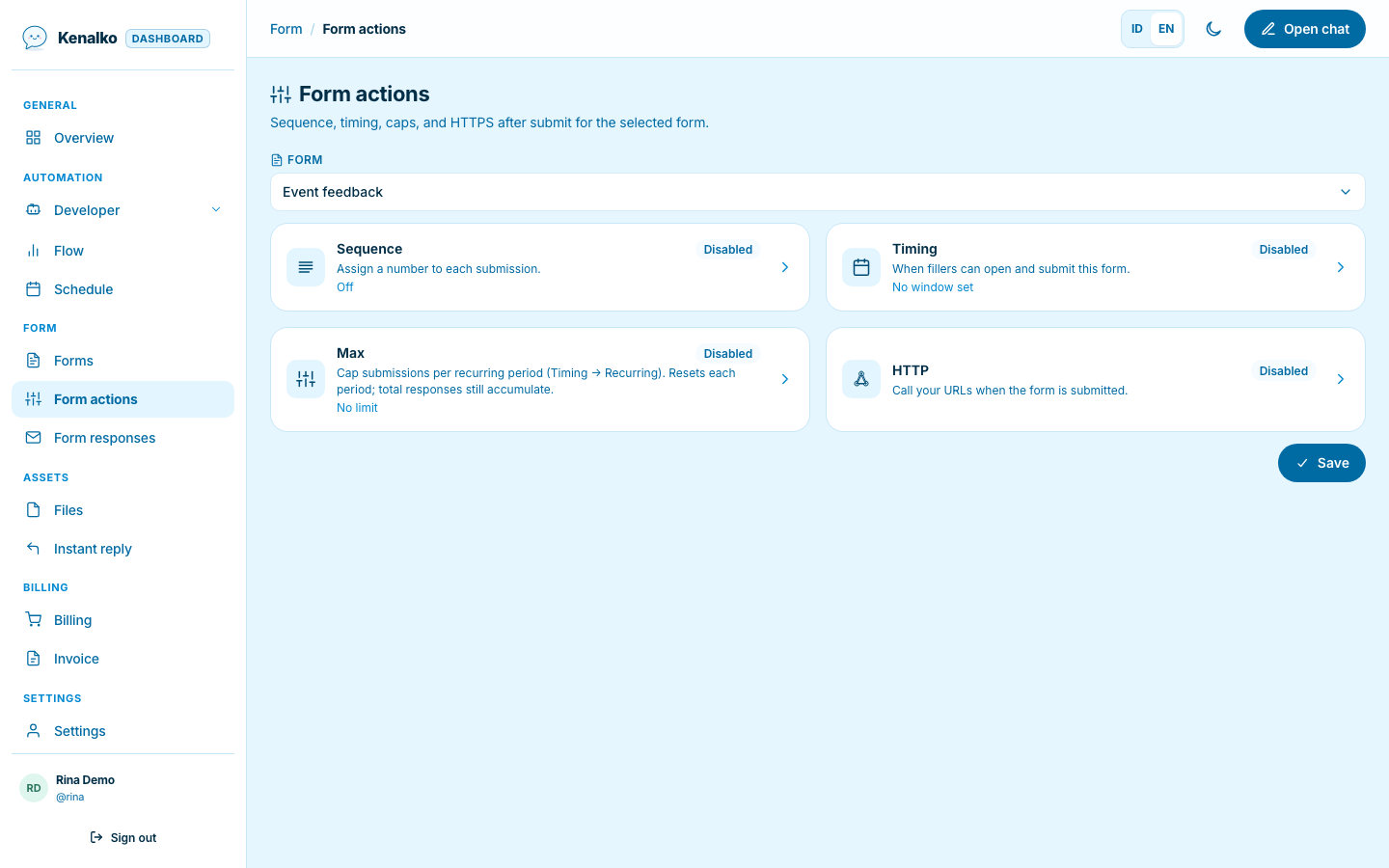
Form actions in the sidebar — pick a form, then the four plugin cards. Enabled/Disabled badges show whether each plugin is configured.
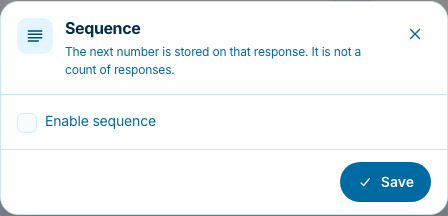
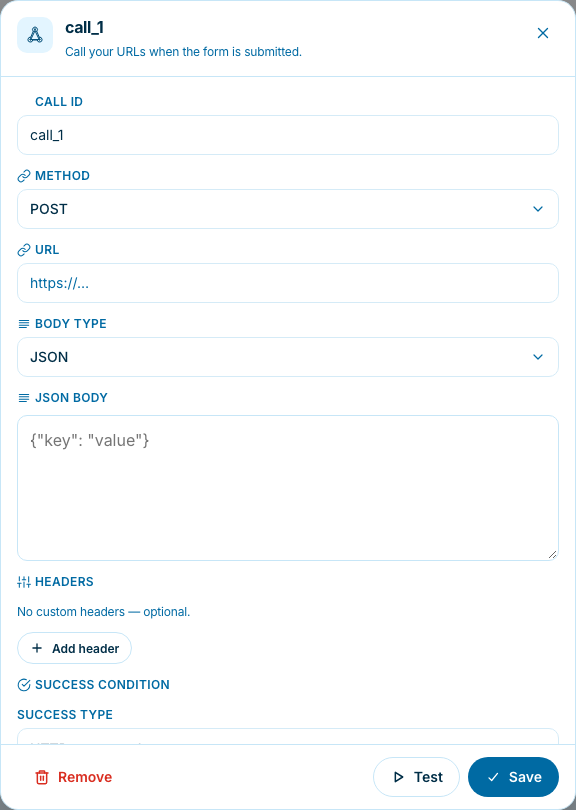
Left: Sequence. Right: HTTP (one call). Timing and Max open similar overlays from the same grid.
In the Forms editor (not Form actions)
Under Forms, each field has Required and Editable (Follow later edits): the filler may change that answer after submit; unchecked fields stay as sent.
Write ( Q: / A: bubble in chat) and filler delete/resubmit flags live in the same definition editor.
Editing a definition does not change locked questions on cards already sent.
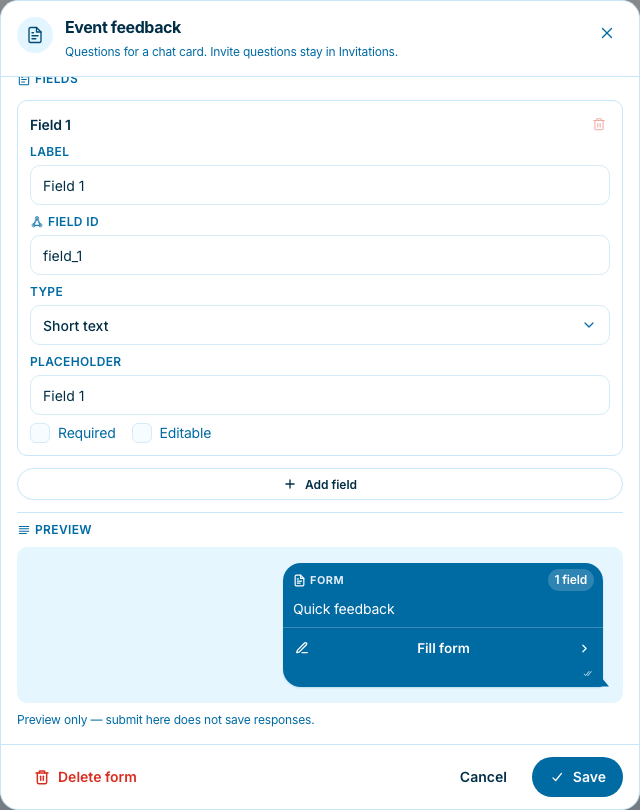
Forms → open a saved form. Editable (Follow later edits) lives only in this editor — not on Form actions.
Order on submit
Max → Timing → sequence slot + HTTP → submission row → webhook/Flow (interactive.submit) when you use the canvas.
Settings applied are those **active at submit time**, not necessarily when the card was first sent.