Billing
Manage API send, AI, and storage quota on the dashbor — overview and top-up flow.
All paid quota and top-ups are managed on the dashbor (https://dash.kenalko.com → Billing). Chat (web/mobile) shows limits when you send files, save to the library, or use @ai — payments are not processed inside chat.
The flow
- 1Top up balance
On Billing Overview, request a wallet top-up (min Rp 50,000) via manual transfer — balance is credited once approved.
- 2Buy quota from balance
Open API send, Storage, Form submissions, or Apps → buy directly using your available balance (activates immediately). Extra app slots are one-time. Paid app plans renew on the 1st.
- 3AI usage allowance
On the AI page, set an IDR usage cap for App Studio; @ai in chat bubbles still uses your token balance.
- 4History & invoices
Sidebar Invoice — top-up orders and renewal invoices payable from your balance (see Payment and invoices).
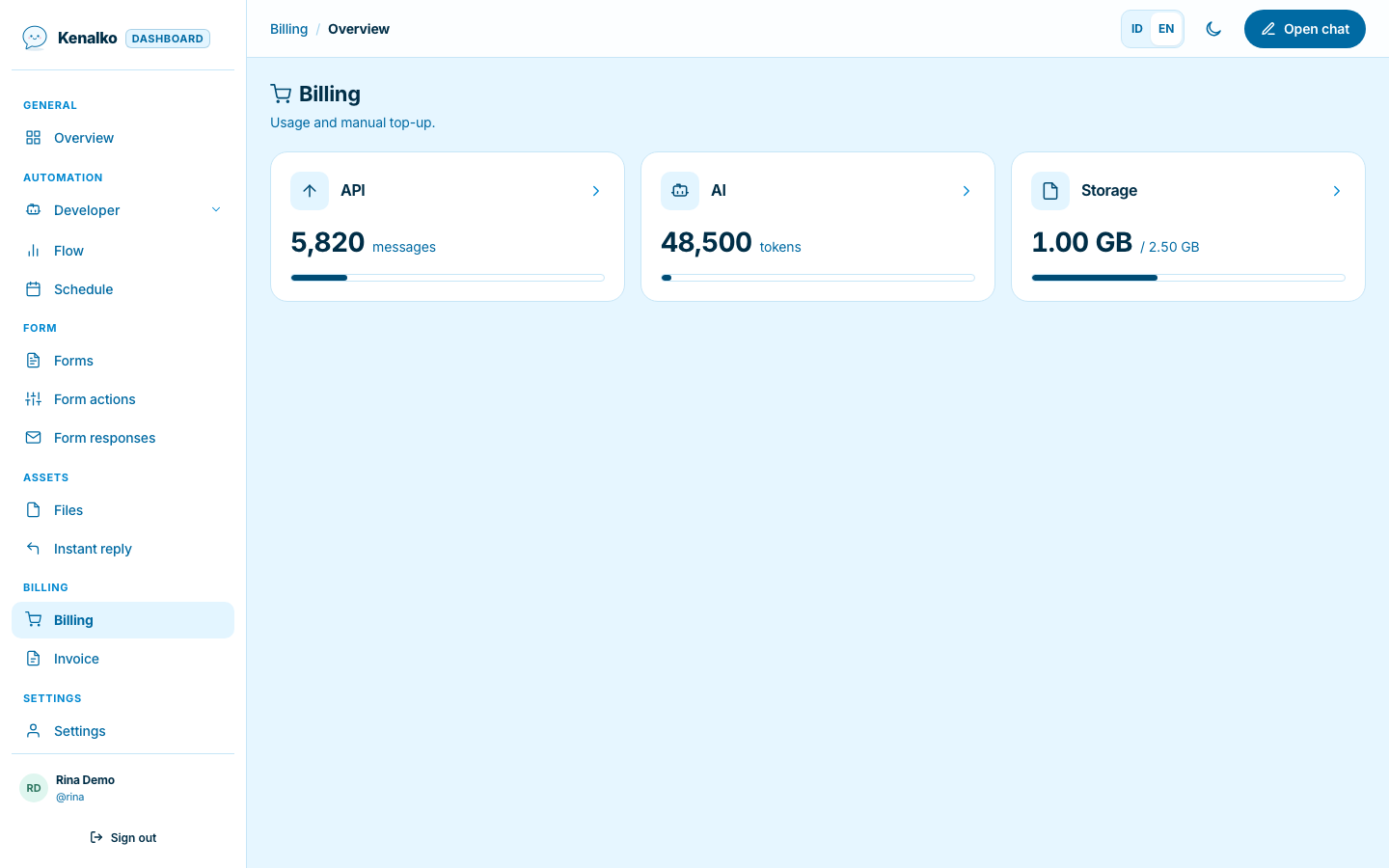
Billing overview — wallet balance on top, then quota cards; chevron opens each product (wallet stays visible on product pages).
Free starting allowance (short): API send 1,000 messages/month (UTC); AI 1 million tokens (account balance); saved storage 10 MiB lifetime. See product pages below for details.
Chat attachment limits (100 MB, 7 days, etc.) are not billing — see File limits and retention.