File limits and retention
Learn the size, quantity, retention, and saved-file quota limits.
File limits apply as soon as you pick attachments in the composer — before Send and when you Save to the library. Sending flow: Files; saved list: File manager.
The flow
- 1Send limits
Max 100 MB per file and 100 files per compose batch. Over the limit → error on the sheet before send.
- 2Chat retention
Server copy lasts 7 days if unsaved. View-once cannot be saved permanently or forwarded.
- 3Save = quota
Save on a bubble uses your account storage quota (file stays on the dashbor until you delete it).
- 4Billing
Check usage and top-up on the dashbor → Billing (see Billing).
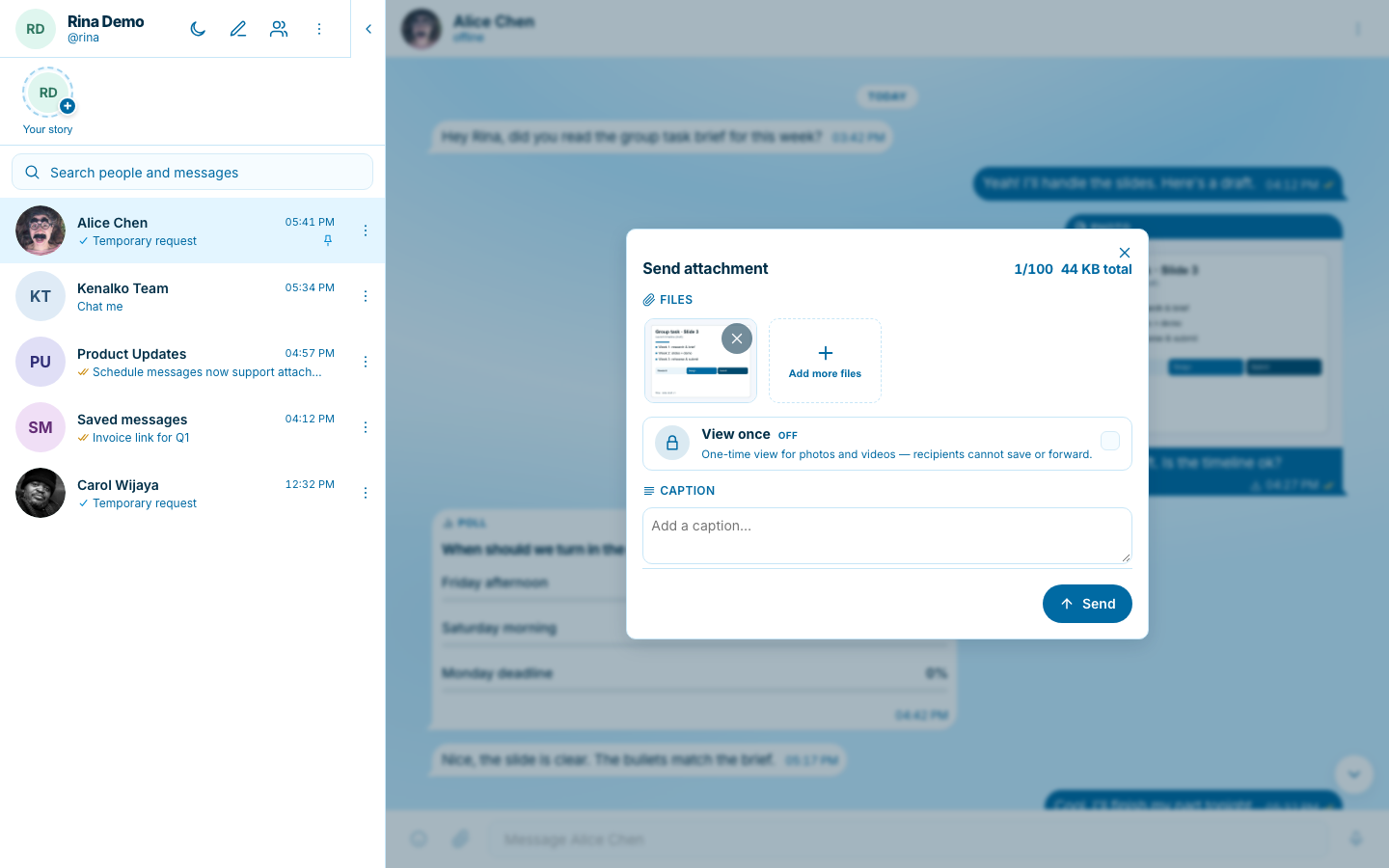
Before Send, the sheet shows file count and total batch size — 100 files / 100 MB per file are enforced here.
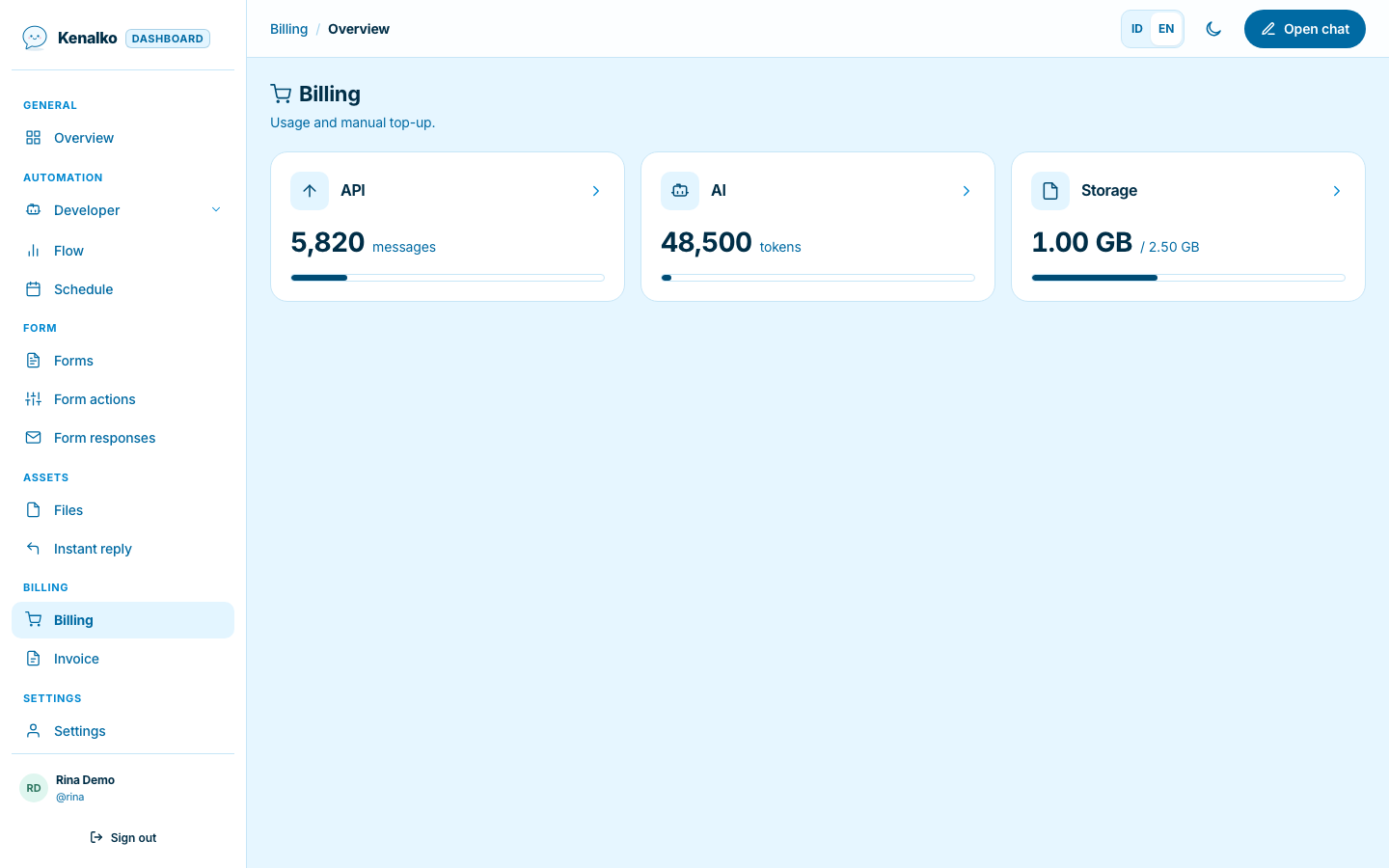
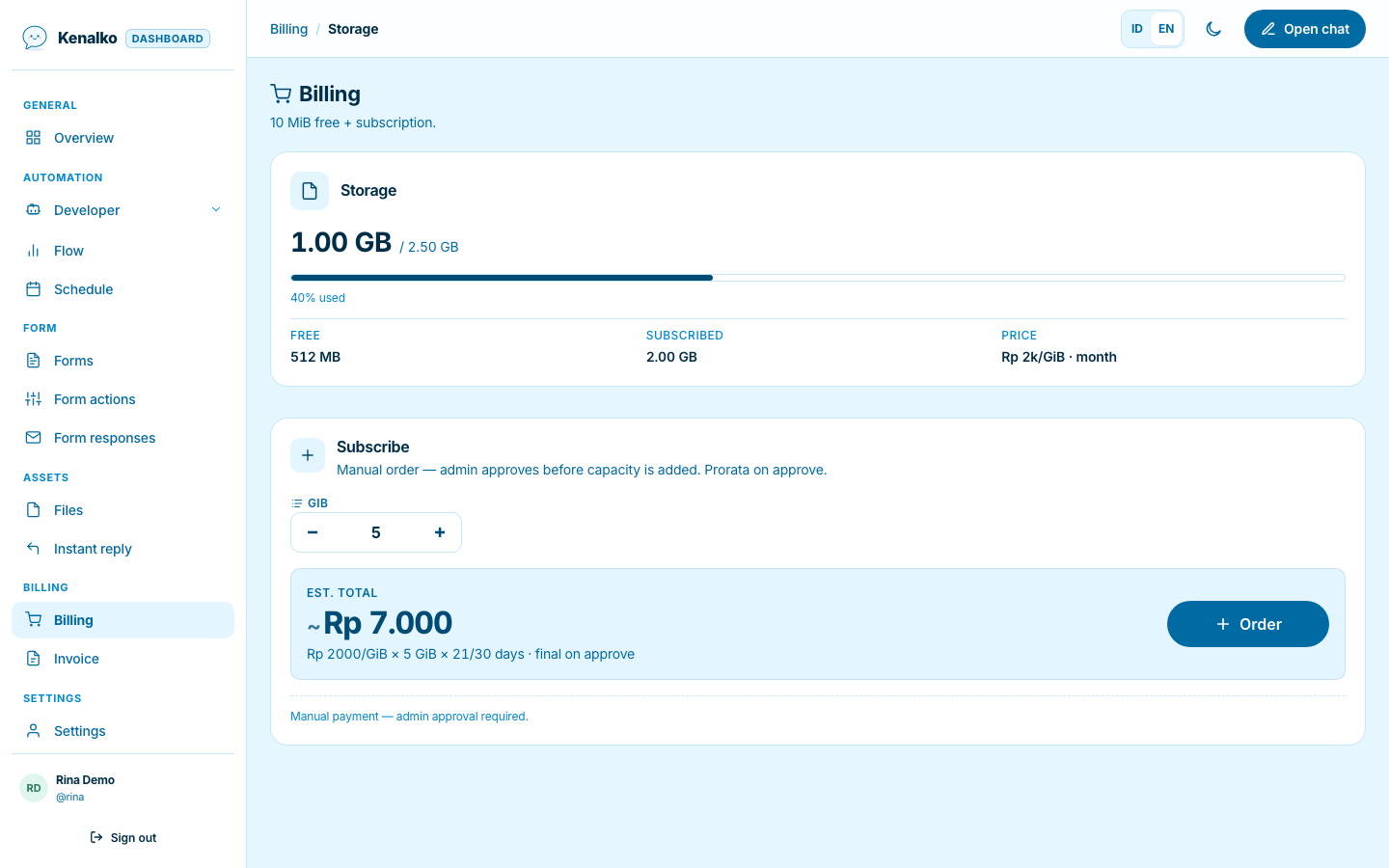
Left: Billing overview. Right: Storage — usage vs capacity and buying extra quota.
Rules summary
Send: photo/video albums are allowed; view-once cannot be saved or forwarded.
Retention: scheduled attachments follow schedule rules, not the usual 7-day chat window.
Expired: ask the sender to upload again — do not treat old links as an archive.
Deletion: when the last saved copy is removed, the server copy may go away too (see File manager).