Form actions
Sequence, timing, max, and HTTPS after submit — Form actions on the dashbor.
Step by step
- 1Pick a form
Form actions → choose from the list.
- 2Sequence
Per-submission sequence (stored on that response). Period reset and max number if needed.
- 3Timing
Schedule or recurring — when fillers may open and submit.
- 4Max
Successful submissions cap per recurring period.
- 5HTTP
One HTTPS call to your URL on success. Failure after retries → submission not stored; card can be filled again.
- 6Responses
Rows that pass the pipeline appear under Form responses.
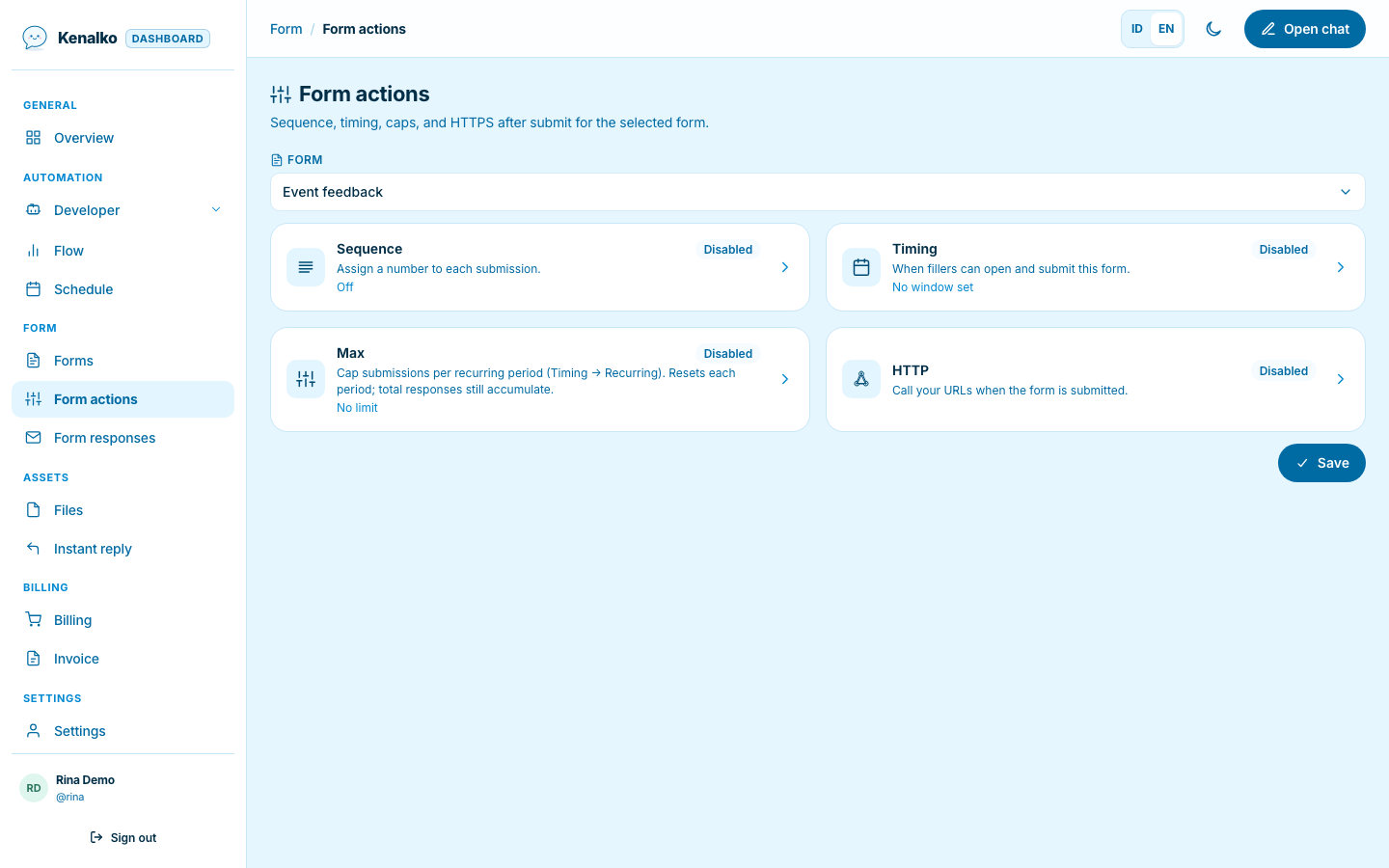
Four plugin cards. On/Off badge = configured or not.
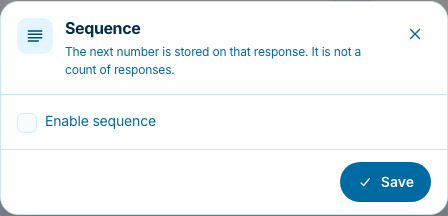
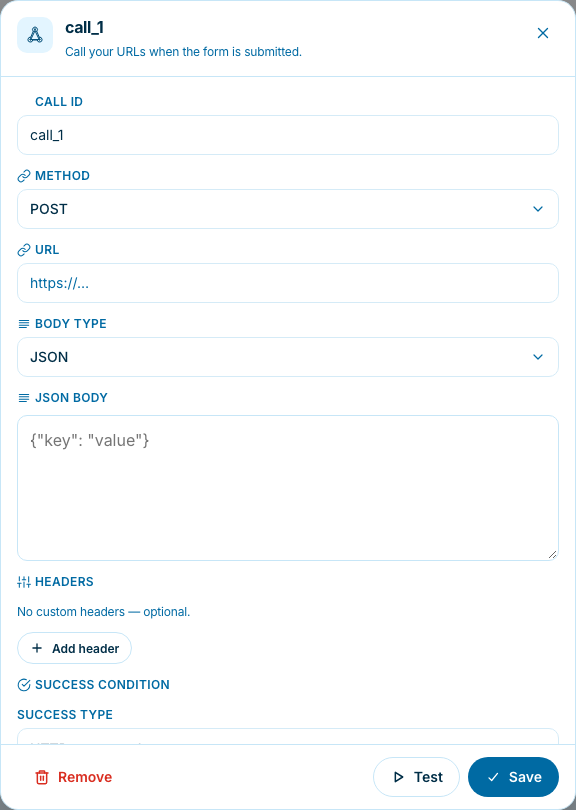
Sequence and HTTP. Timing and Max use the same grid.
In the Forms editor (not Form actions)
Required, Editable, write bubble, and filler delete — under Forms, not Form actions.
Editing the definition does not change questions on cards already sent.
On submit: Max → Timing → sequence + HTTP → stored row → webhook/Flow (interactive.submit) if used. Rules apply at submit time, not when the card was first sent.
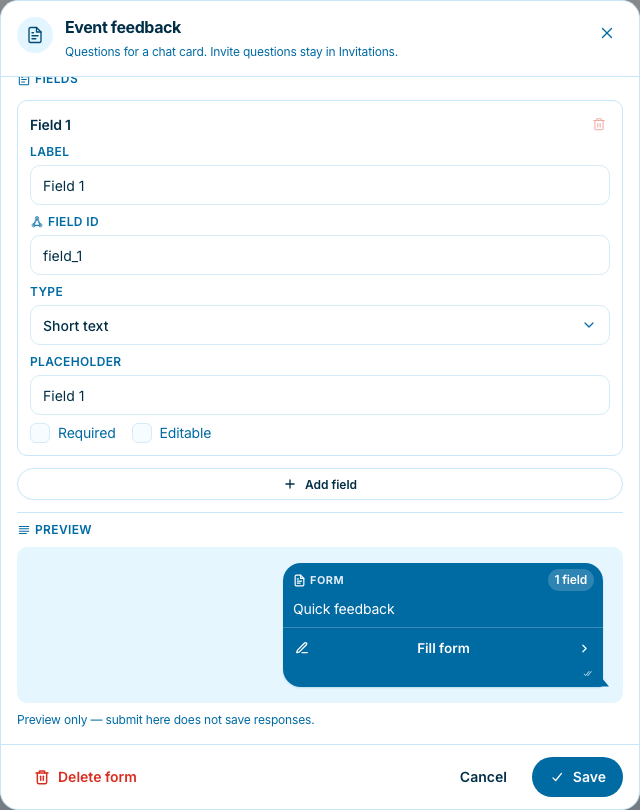
Forms → saved form. Editable only in this editor.