Quota & attachments
API send quota at fire time, Files meter for schedule attachments, and common errors.
Creating a Scheduled row does not consume send quota — API send quota is deducted when the message actually delivers (scheduled time or Send now). Attachments use the Files meter (hold) until sent or cancelled.
API send quota
| When | Quota |
|---|---|
| Click Schedule message / Schedule N messages | Not consumed |
| Auto fire / Send now | −1 per successful bubble |
| Multi-file sequence | Ensure balance covers the full sequence — see API send quota |
Same pool as:
- Sends via Developer API
- Flow Send steps
If quota runs out at fire time, the row may fail under Past — check Billing before critical schedules.
Files storage (attachments)
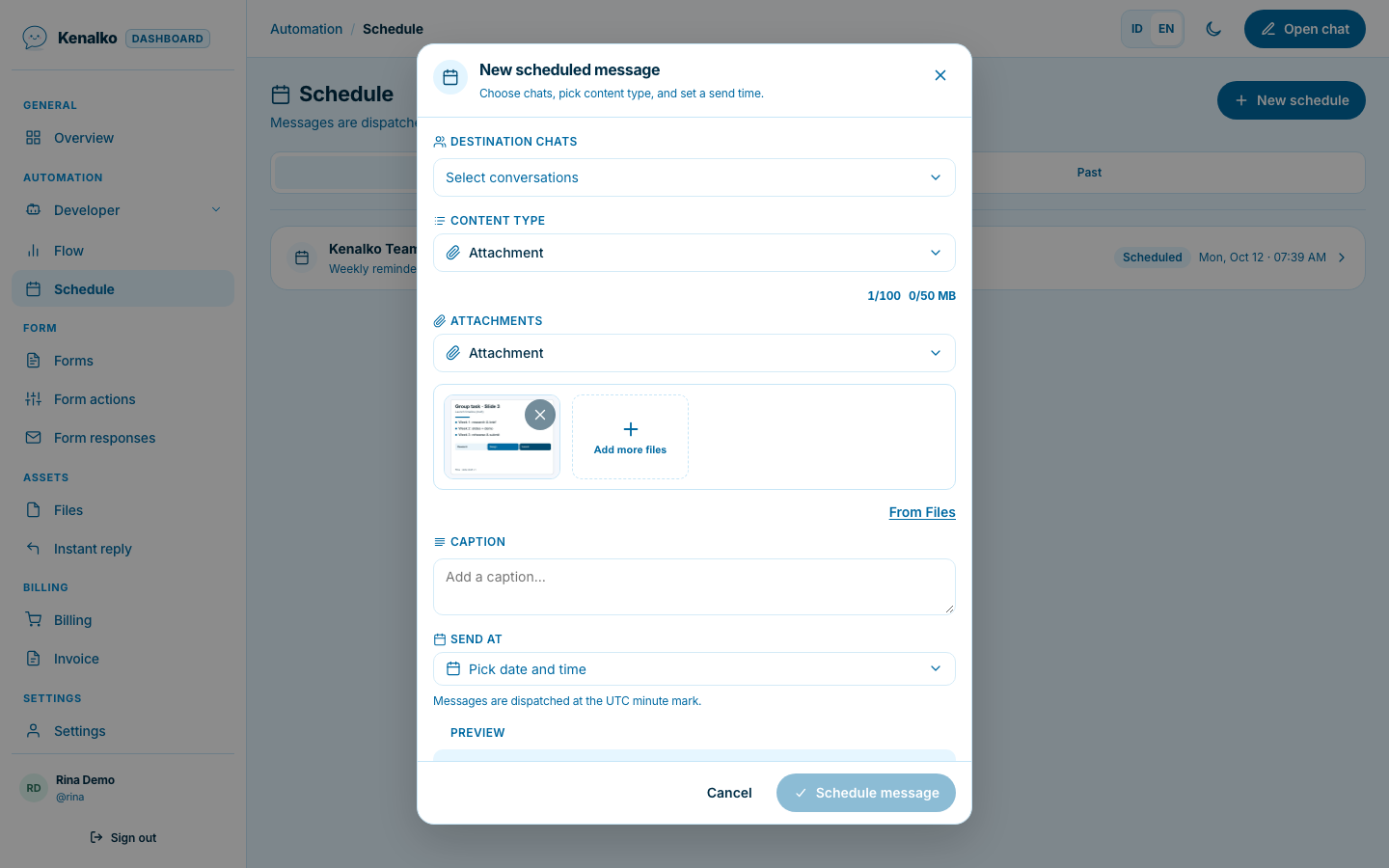
Attachment type — quota bar above the grid; bytes count until the schedule completes or is cancelled.
| Situation | Behavior |
|---|---|
| New upload | Hold — bytes count toward storage. |
| From Files | No new bytes if the file is already in the library. |
| Storage full | Error — free Files, cancel attachment schedules, or add capacity in Billing. |
Cancelling a pending schedule does not auto-delete hold files — they stay in Files until you remove them. Details: Dashboard Files.
Common errors
| Situation | Dashboard hint (examples) |
|---|---|
| Time < 1 minute | Send time must be more than one minute from now. |
| Chat not allowed | You cannot schedule to this chat. |
| Attachment unavailable | Hold expired — create a new schedule with fresh files. |
| Google sign-in required | Schedule requires a registered account. |
| Storage full | Free Files / cancel schedules / add storage. |
Schedule vs Flow (loops)
Scheduled messages do not count as inbound user messages for Flow triggers — no reactive Flow reply. For automation on incoming chat, use Flow.