Content types
Text, attachments (upload or Files), and polls in schedules — dashboard bubble preview.
In New schedule, the Content type dropdown sets what one schedule row sends: Text message, Attachment, or Poll. Fields below change with the type; the Preview section shows chat-style bubbles as recipients will see after delivery.
Pick a content type
| Dashboard value | What you configure |
|---|---|
| Text message | Single Message field |
| Attachment | Upload grid / From Files, optional caption, view-once when supported |
| Poll | Question, options, pick limit, poll close — same pattern as chat polls |
One schedule row = one type. For interactive form, button, or list cards on a trigger, use Flow (Send step), not one-shot Schedule.
Text message
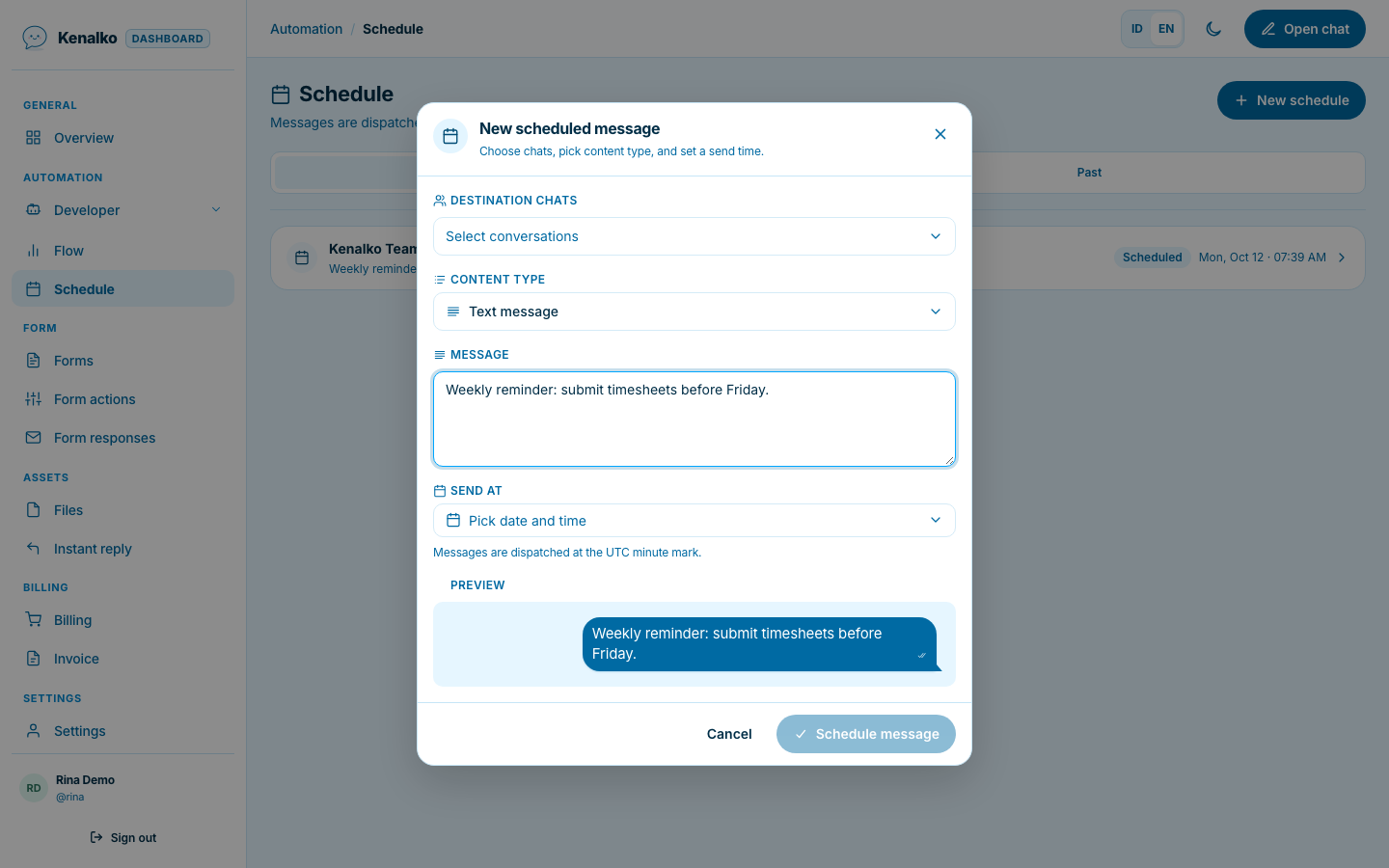
Content type → Text message — type in Message; Preview appears below the form (scheduled-time meta on the bubble).
| Field | Notes |
|---|---|
| Message | Plain text; placeholder Write your message here… |
| Preview | Outgoing bubble — no reply, quote, or forward in scheduled bodies |
Attachment
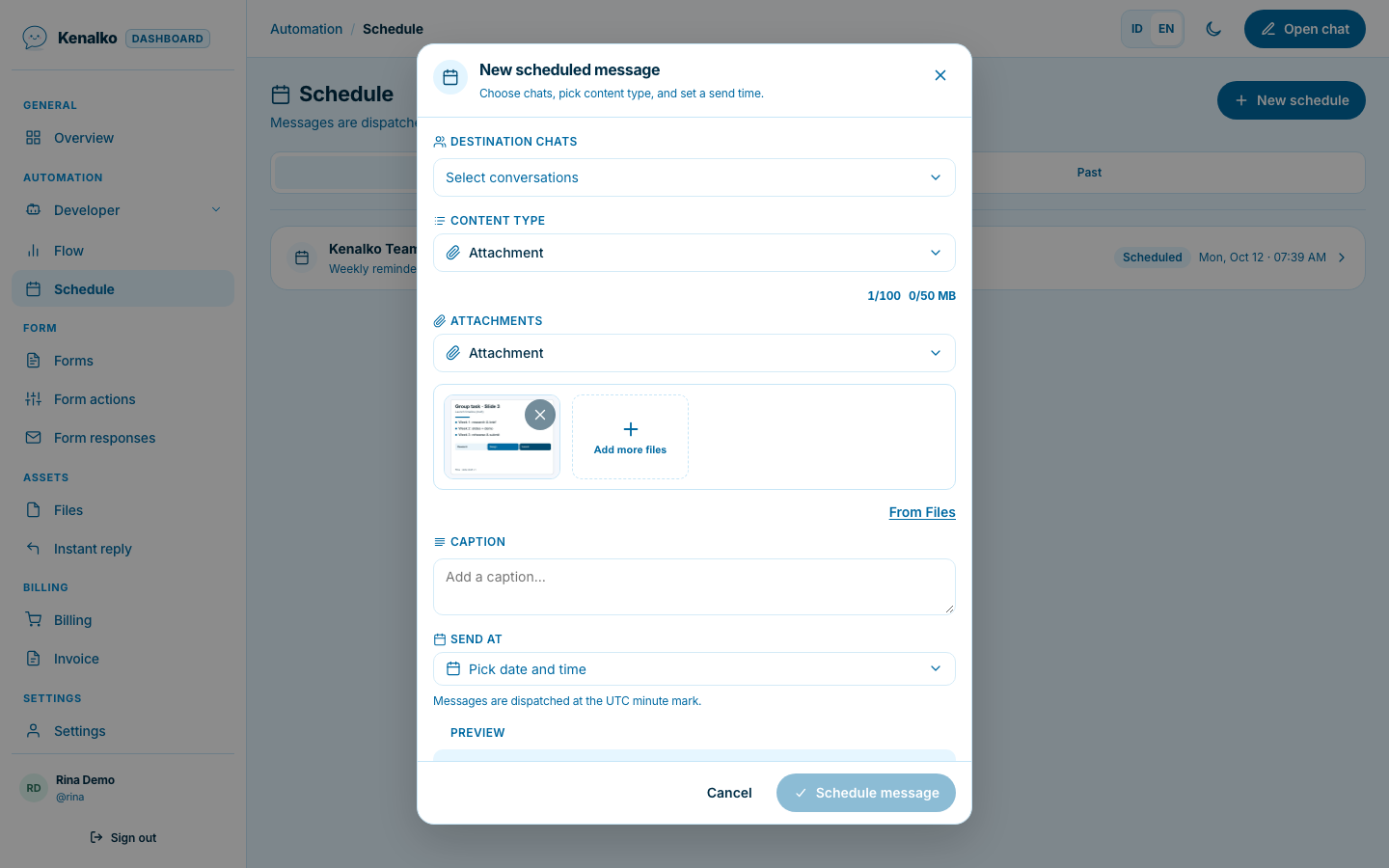
Attachment — upload or pick from Files; quota bar above the grid; album/attachment preview under Preview.
- 1Upload
Compose-style tile grid — pick files, reorder, optional caption.
- 2From Files
Use library files without re-upload (storage meter still applies).
- 3Limits
Up to 100 slots per schedule (same as chat batch); see Quota & attachments.
Consecutive images/video may preview as an album (same rules as chat). PDF, audio, or view-once break an album run.
Staged files stay in Files until the schedule fires or is cancelled — closing the overlay does not remove them.
Poll
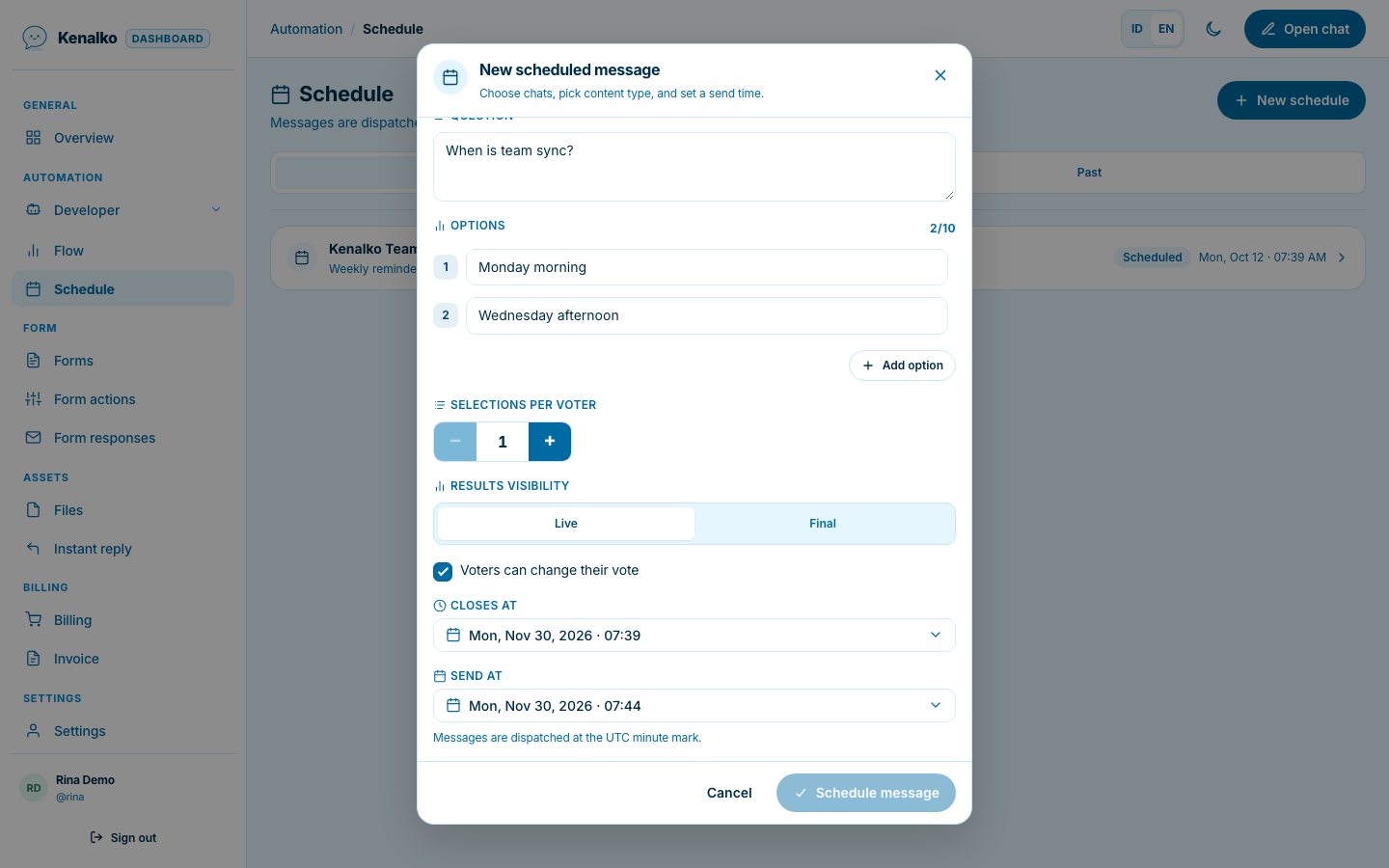
Poll — fill question & options; preview shows poll header, pill options, multi/limit badges when enabled.
| Field | Notes |
|---|---|
| Question & options | Same compose pattern as chat / Flow |
| Poll closes | When voting ends (required for a valid poll) |
| Send at | Schedule fire time — poll close must be after this |
| Preview | Poll card (not plain text) — appears once required fields are filled |
Scheduled poll delivery does not invoke @mention AI replies.
Preview after the schedule exists
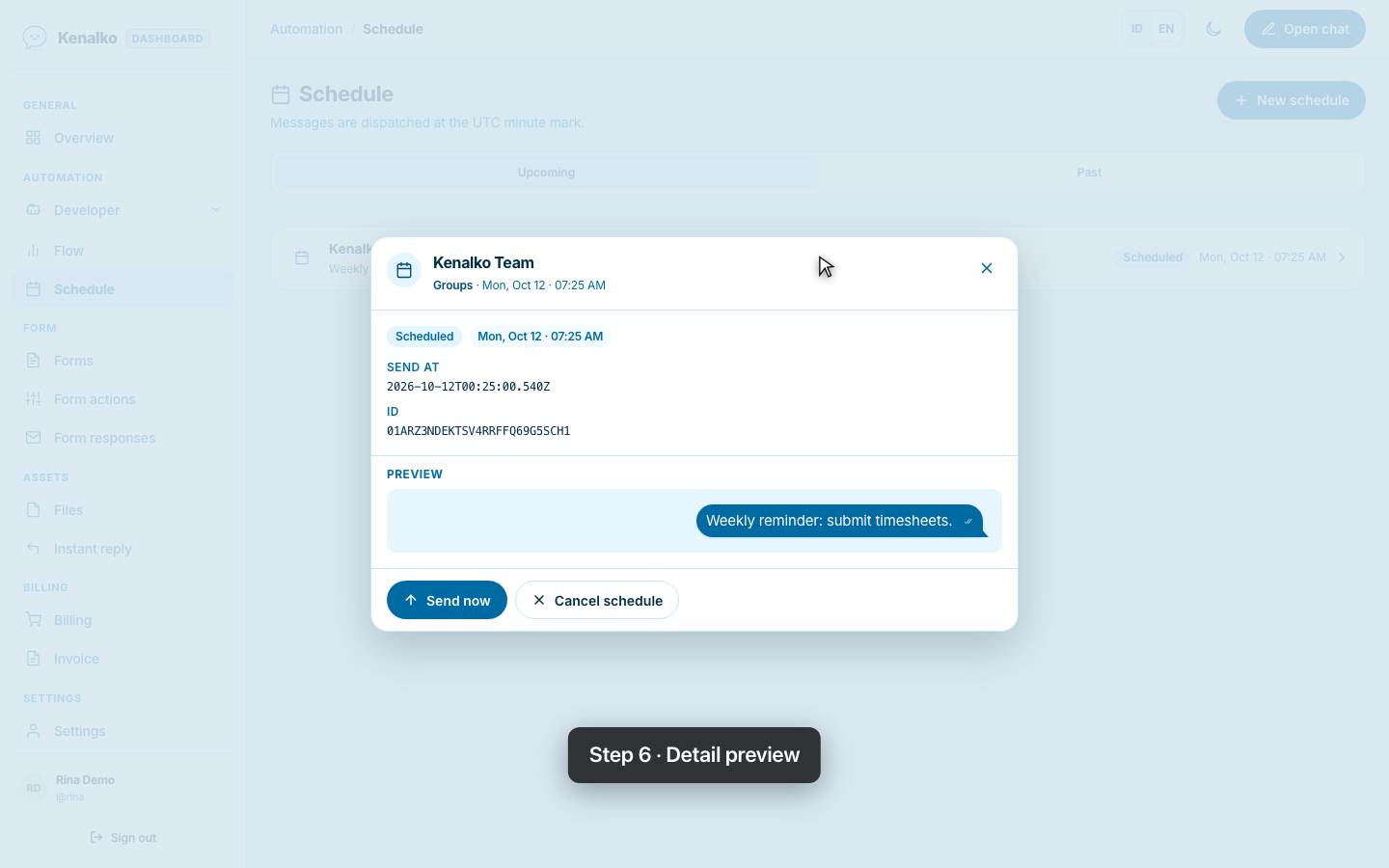
Tap a row on Upcoming → detail overlay loads the same Preview (body from the server). See List & manage.
Files library: Dashboard Files. Send quota at fire time: Quota & attachments and Billing API send.