What is Kenalko?
Kenalko is a closed chat that helps you control who can contact you.
Kenalko is a closed chat. Direct chat opens only after two people connect through an invitation — not from any random @username.
Open chat vs Kenalko
 Open chat
- Anyone who knows your @username can message you.
- Strangers and people you know look the same.
- Direct chats, groups, and broadcasts mix together.
 Kenalko
- Direct chat only after an invitation is accepted.
- Contacts are people you approved.
- Personal, group, and channel stay separate.
Detailed walkthrough of why Kenalko cannot be spammed and prevents forced group adds: no public @username search, full invite-link control (max uses & close anytime), two-way consent on Introduce cards & groups, separation between group members and personal contacts, and permanent blocking.
From invitation to chat
- 1Invitation
Create or accept an invitation. Without one, you cannot open a direct chat from an @username.
- 2Contacts
After it is accepted, both people appear in Contacts.
- 3Chat
Open the conversation from that contact, then send a message.
In the app
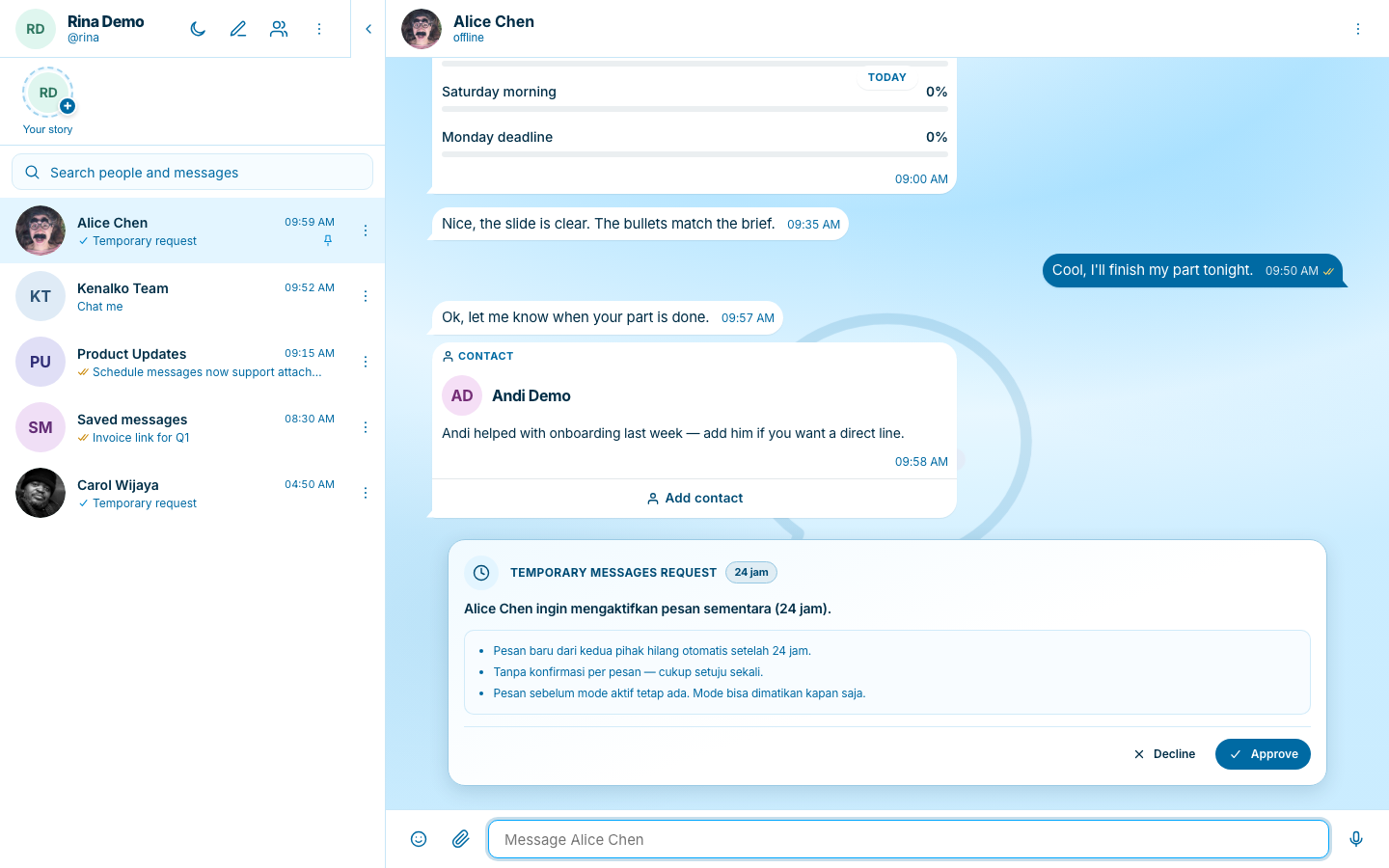
A direct chat after you are connected. The list on the left keeps personal chats, groups, channels, and Saved messages separate.
Four kinds of conversation
A 1:1 chat after an invitation is accepted. In the picture: Alice Chen.
GroupA shared conversation. Members have roles. In the picture: Kenalko Team.
ChannelA broadcast. Owners and admins send; subscribers read. In the picture: Product Updates.
Saved messagesNotes to yourself. No invitation needed.
Account and where you chat
Registered accounts are created here: sign in, choose an @username, and optionally turn on MFA with a PIN under Security. Automation is configured from the dashboard too.
Personal chats, groups, and channels are on the browser and on your phone. Both use the same account.
A web guest can chat through an Anyone invitation, without a registered account. Access stays limited.