Chat list
Understand conversations, Saved messages, unread counts, search, and pinned chats.
The chat list is the entry point to your conversations. Recent threads move to the top; unread chats show a numeric badge.
List on web and phone
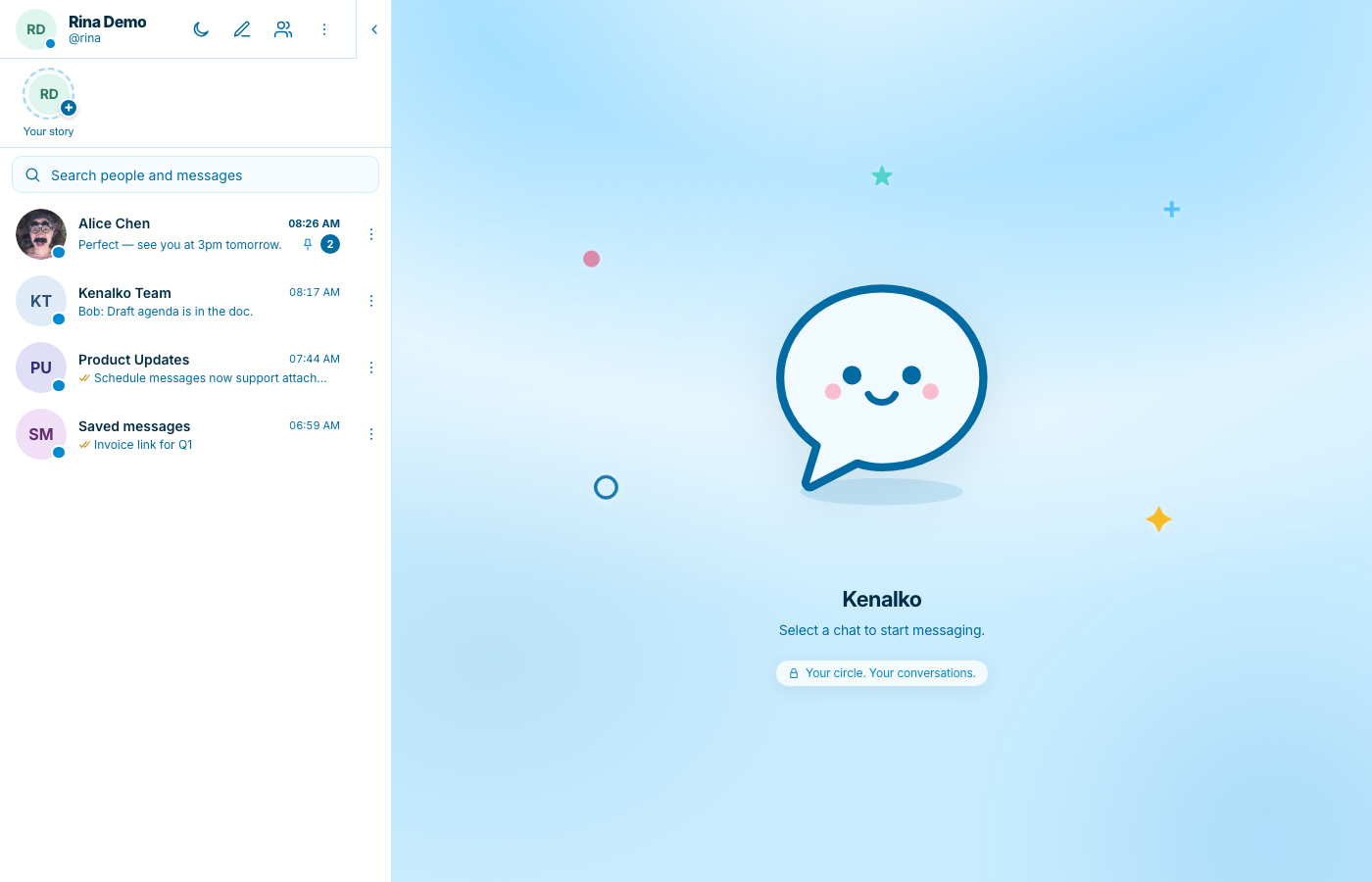
Web: list on the left. A pin icon marks pinned chats; a blue badge shows unread count. New messages update the preview and move the row up without a refresh.
Phone: the same information in a single pane. Bottom tabs for chats, contacts, invitations, and menu.
What each row shows
Contact, group, or channel — plus an online dot when available.
Last message snippet and send time.

When you sent the last message, ticks in the preview follow delivered/read status (same as in the bubble).
Messages not yet read since you last opened the chat.
Saved messages
Saved messages is a chat with yourself — for notes, links, or files you want to find again. The row is always on the chat list, even before your first message.
Open and read a chat
- 1Pick a row
Tap or click a conversation in the chat list.
- 2Unread marker
When there are new messages, the N unread messages line marks where unread messages begin.
- 3Read or reply
The badge and marker update after you interact and are reconciled when the connection recovers. Loaded chats can still open from cache during a short offline period.
Pin a chat
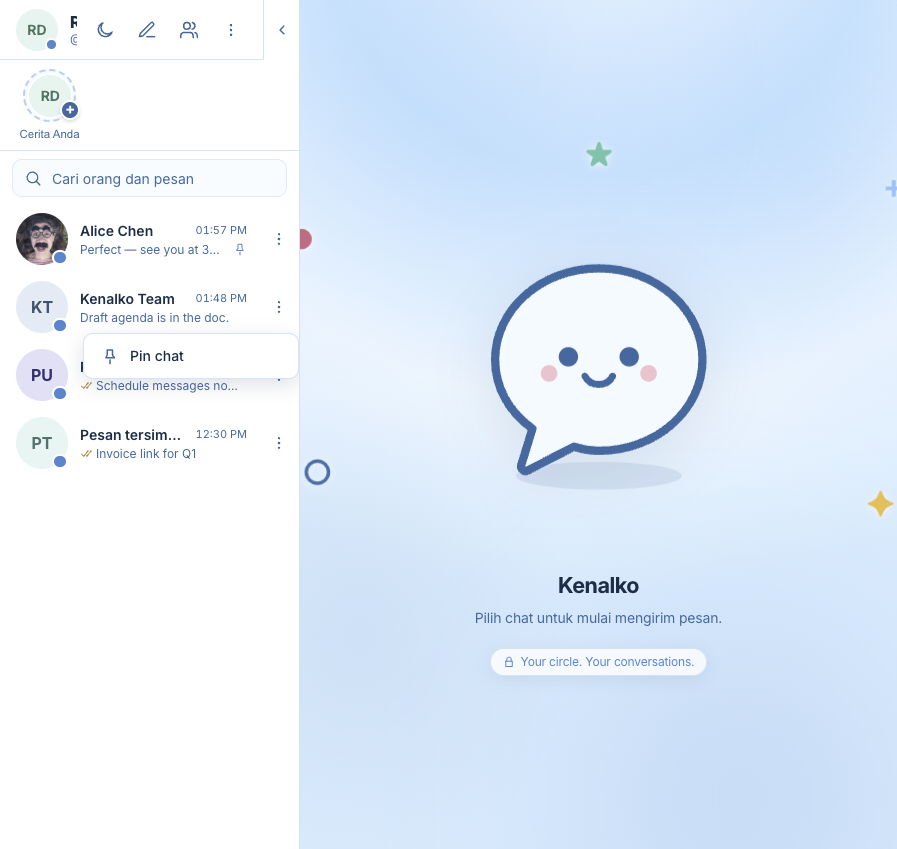
⋮ on a row → Pin chat / Unpin chat. Pinning changes only your list — others cannot see it. You can pin at most one chat at a time.
Search messages
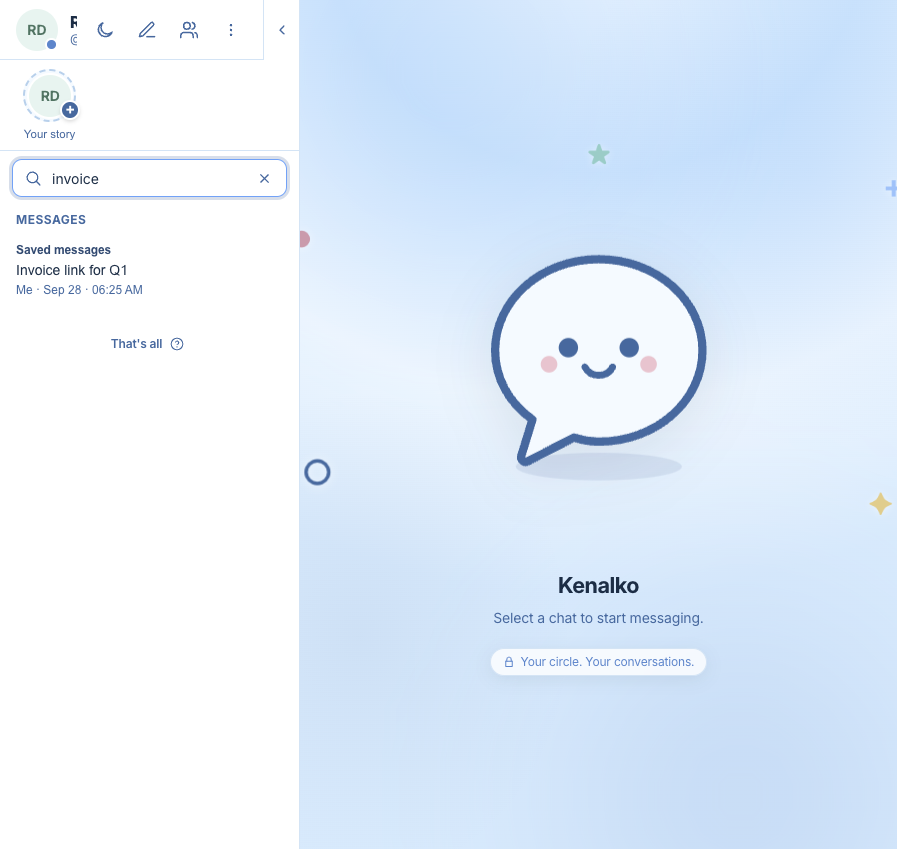
Type a keyword in the chat-list search field. Results replace the conversation list for message content already on your device — not a server-wide search. Clear the field or press Escape to return. For one chat only, use Search in chat from the chat menu.