Chat list & thread
Screen reference — / (chatlist + thread) (web).
2 min read
Chat workspace (/, signed in) — AppShell: chat list sidebar + thread/composer column.
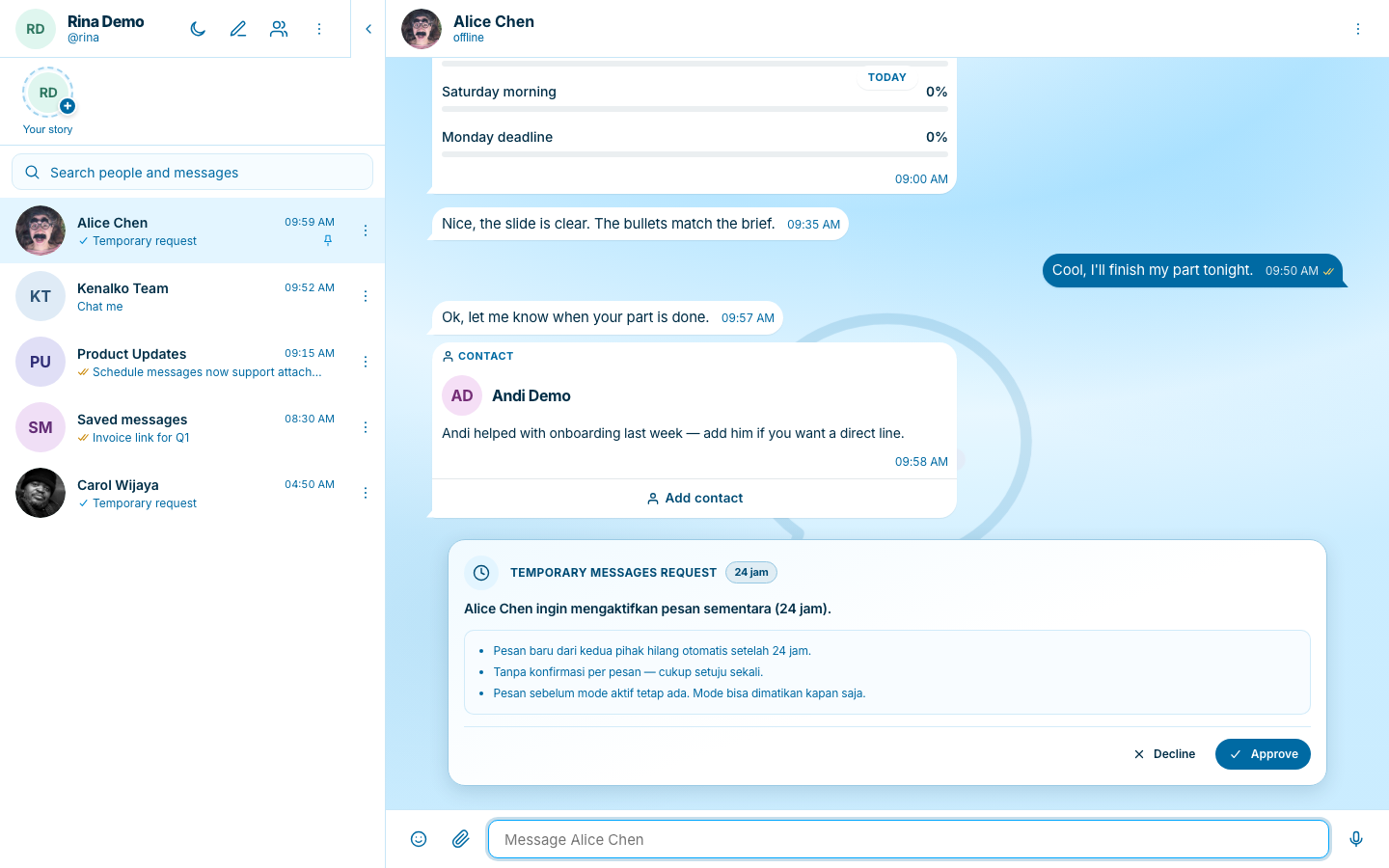
Route / (chatlist + thread) — demo screenshot (product UI).
About this screen
Main signed-in chat UI: AppShell with a chat list sidebar and thread + composer column.
Routes like /contacts or /groups fill the right panel; on desktop the chat list stays visible.
PIN is set/verified via the PinGate overlay (not Settings → Security panel).
Steps
- Pick a room in the chat list → thread opens.
- Send from the composer; use
/for instant reply (personal/group). - Avatar menu → Contacts / Groups / Settings as needed.
Note:
- Sidebar search can find people or jump to messages (`ChatlistSearchResults`).
- Guests hide the story rail and some registered-only menus.
Screen areas
Sidebar
SidebarBrand(avatar, menu, Requests, new chat)StoryRail(non-guest)SearchBar→ChatlistSearchResultsorConversationList- Chat list load-more, pin room
Thread
ChatHeader+ room menuStoryRoomRail(group/channel)PinnedMessageStrip+MessageListComposer(text,/, attach, poll, …)
Panel overlay
- URLs
/contacts,/requests,/groups, … fill main-panel - Sidebar stays (desktop); mobile back to list
Gates
PinGatebefore workspace (PIN setup/verify)UsernameClaimwhen @username missingColdStartSyncOverlayon cold sync
Index: Pages overview.