Home & sign-in
Screen reference — / (web).
2 min read
Sign-in home (/, signed out, no ?invite=) — Kenalko hero + OAuth card.
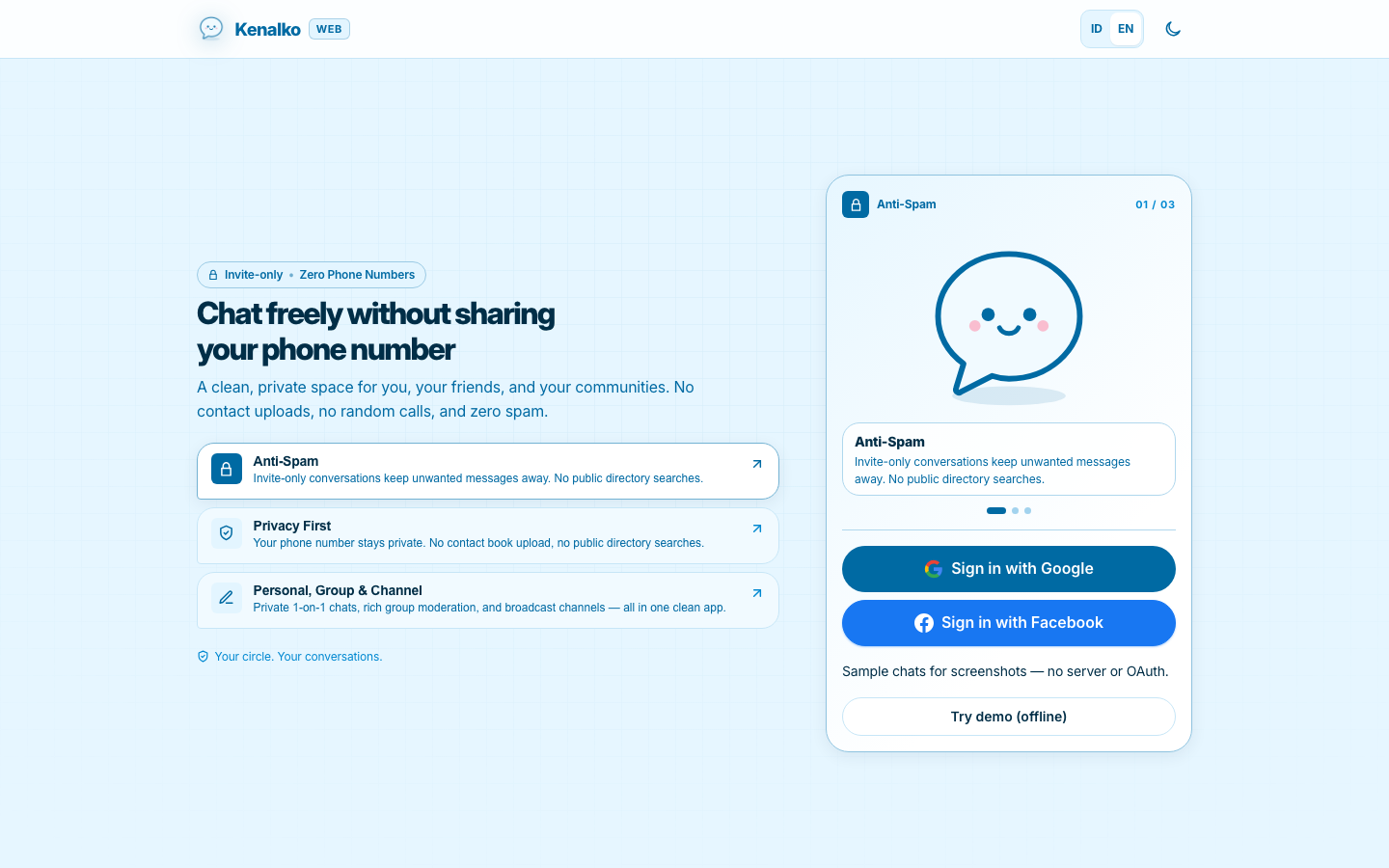
Route / — demo screenshot (product UI).
About this screen
This screen is HomePage at / when you are signed out and the URL has no invite query.
Not the chat workspace — after OAuth, ChatWorkspace replaces it (separate doc) even though the URL stays /.
Header theme and language apply across the web app after sign-in.
Steps
- Open web.kenalko.com/ (sign out if needed).
- Pick a provider on OAuthSignInPanel.
- Complete onboarding (@username) if prompted; PIN only if MFA is on → chat workspace.
Note:
- With `?invite=` in the URL, you see the **invite landing** — not this marketing hero.
Screen areas
URL
/whenauth.signedIn === false- Not the chat workspace
Header
- Brand + badge
LanguageSwitcher- Light/dark theme toggle
Left hero
- Badge + headline + subtitle
- 3 topic rows (anti-spam, privacy, rooms)
- Security footer
Right card
- Mascot + slide dots (synced to topics)
OAuthSignInPanel- Optional demo mode (env)
DashboardSignupNoticewhen needed
Overlay
TabLockOverlayfor multi-tab
Index: Pages overview.