Chat list
Screen reference — / (mobile).
1 min read
Chat list shell (/) — ChatsShellScreen + PanelStack (list + sliding panels).
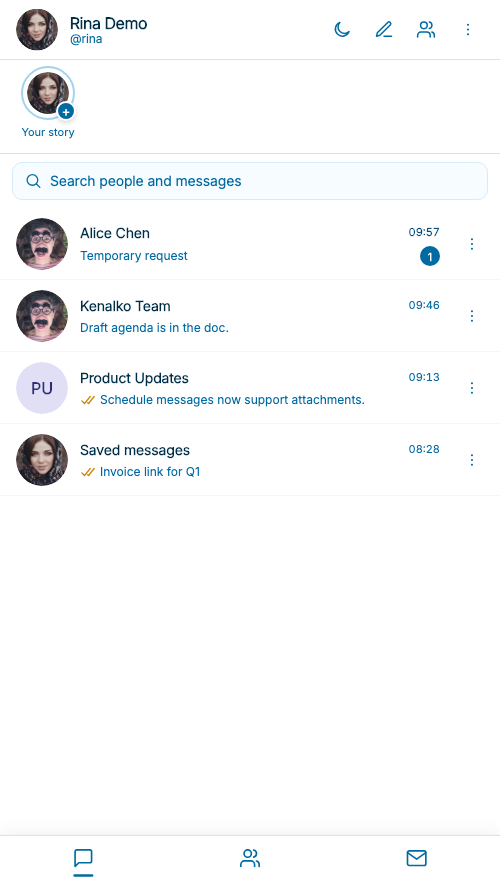
Route / — demo screenshot (product UI).
About this screen
/ = ChatsShellScreen: chat list + PanelStack for /contacts, /groups, etc.
Bottom nav has three shortcuts: Chats · Contacts · Invitations — Groups/Channels/Settings from the BrandBar menu.
Sidebar search finds people or jumps to messages; tap a room → full-screen /chat/:conversationId.
Steps
- After PIN, you land on the chat list.
- Tap a room or use search.
- Bottom bar: Contacts / Invitations; menu for Groups, Channels, Settings.
Screen areas
Top
BrandBar— avatar, menu, new chat, requests (badge)StoryRail(registered)KenSearchBar→ people + message hits
List
ConversationRow— unread, pin, mute, temporary- Tap →
/chat/:conversationId - Chat list load-more
Bottom nav
KenShellBottomNav: Chats · Contacts · Invitations- Groups/Channels/Settings via BrandBar menu
Back
- Panel open: system back →
/
Index: Pages overview.