PIN
Screen reference — /pin (mobile).
1 min read
PIN gate (/pin) — verify before ChatsShellScreen, only when MFA is on. MFA PIN setup is under Security.
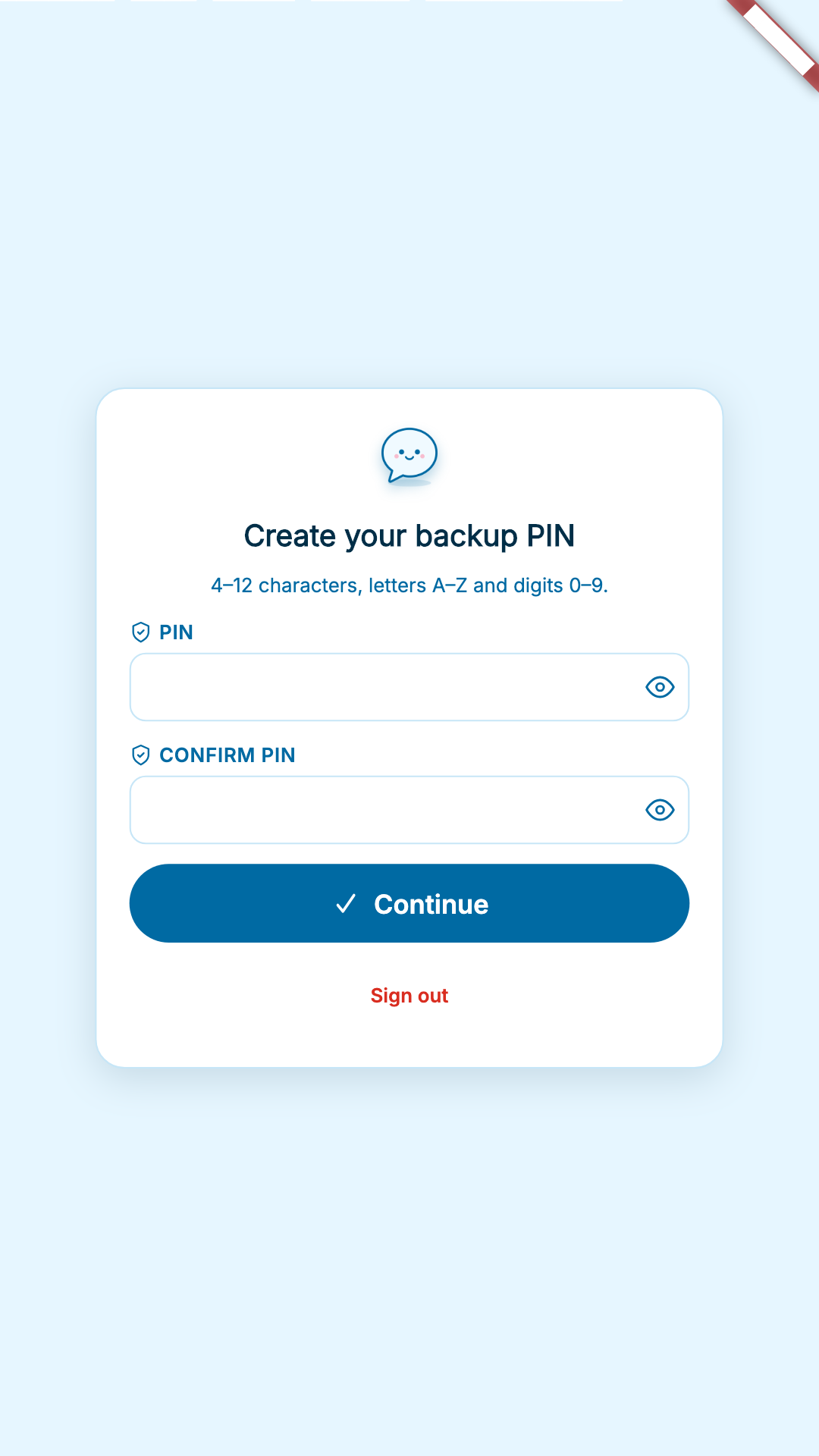
Route /pin — demo screenshot (product UI).
About this screen
/pin (PinGateScreen) — first-time setup or verify when needsPinGate.
4–12 digits, confirm on setup; rate limits show a lockout countdown.
App PIN = chat web PIN for the same account; not the Drive backup PIN (that is under Settings).
Steps
- Enter PIN.
- Continue → chat list shell
/. - Optional: Sign out if wrong account.
Note:
- Changing the PIN or turning MFA off happens in the Security panel from a verified session.
Screen areas
Modes
- MFA setup (Security): PIN + confirm
- Verify: PIN only
Input
- Masked
KenInput, 4–12 digits
Lockout
- Countdown when rate-limited
Sign out
- Ghost Sign out →
/home
Index: Pages overview.