Chat thread
Screen reference — /chat/:conversationId (mobile).
1 min read
Thread (/chat/:conversationId) — full-screen ChatWorkspaceScreen above the shell.
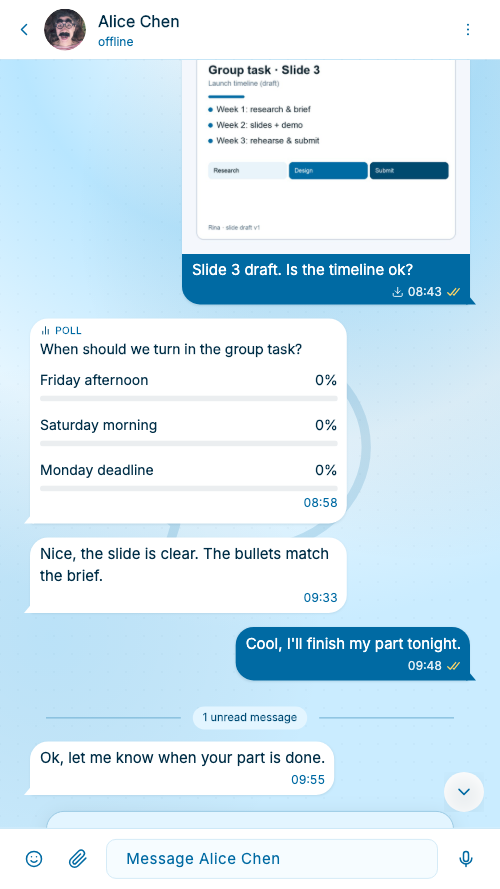
Route /chat/:conversationId — demo screenshot (product UI).
About this screen
/chat/:conversationId opens ChatWorkspaceScreen above the shell — full-screen thread, not a right column like desktop web.
Room header, message list, composer (attach, /, voice, poll, …) follow room type.
Back pops to the chat list; unread/receipts sync via ChatController + WS.
Steps
- From the chat list, tap a room.
- Read/send from the composer.
- Back → return to the list (shell
/).
Screen areas
Chrome
ThreadChromeheader — back, room info, menu
Body
MessageListbubbles + receipts + pinned strip
Composer
ChatComposer— text,/, attach, voice, poll, form- Channel: read-only for subscribers
Actions
- Context menu: edit, delete, forward, reply, pin, …
Index: Pages overview.