Contacts (+ requests)
Screen reference — /contacts (mobile).
1 min read
Contacts (/contacts) — ContactsScreen panel; requests = sub-view (no /requests).
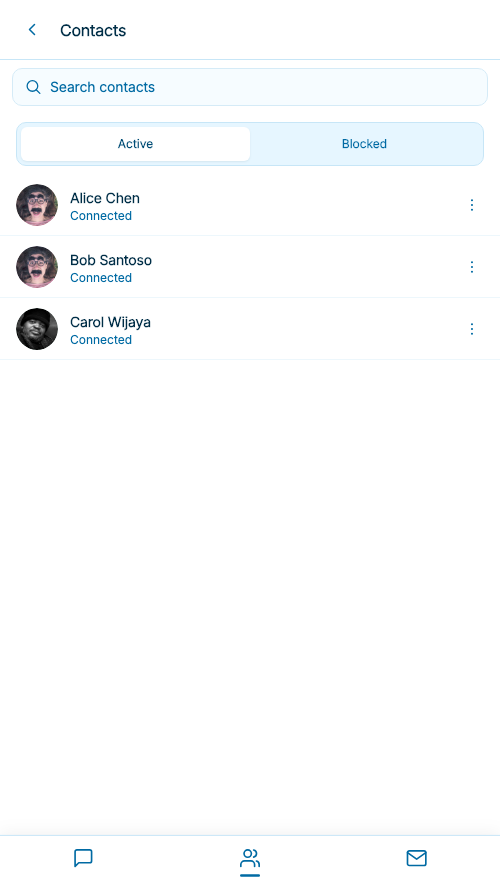
Route /contacts — demo screenshot (product UI).
About this screen
/contacts = ContactsScreen panel (slides in PanelStack). Connection requests are a sub-view on the same screen.
BrandBar can jump to incoming requests then go('/contacts').
Parity: web has a separate /requests URL; mobile does not.
Steps
- Bottom Contacts or menu.
- Filter Active/Blocked; switch to Requests.
- Accept/decline or open chat from detail.
Note:
- Request badge on bottom nav (`contacts` id) + BrandBar.
Screen areas
Nav
- Bottom Contacts or menu
Header
PanelAppBarback →/
Views
- Contact list + Active/Blocked
ChipTabs - Switch to Requests (incoming/outgoing chips)
Detail
- Chat, block, report, temporary, clear
- Approve/reject/cancel requests
Index: Pages overview.