Wait for message
Pause the flow until the other person sends the next inbound message in the same chat — one active wait per chat.
The Wait for message step pauses a running path until the user sends their next inbound message in the same chat as that run, then the outgoing wire continues — like waiting for a chat reply before a second send step.
Example sequence in the widget: trigger → condition → send → wait for message → send again (same as dashboard Load example).
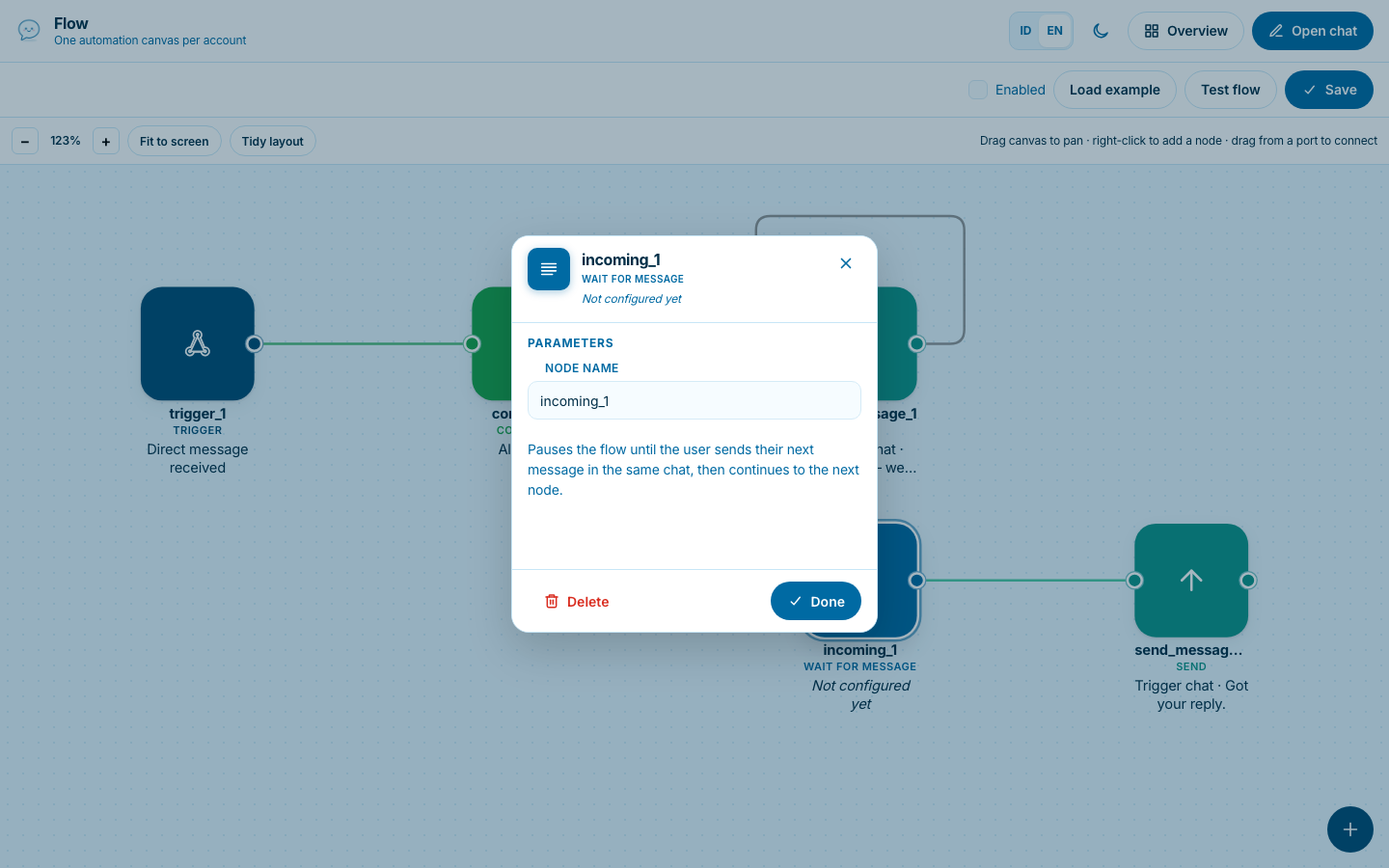
Click the orange Wait for message box → the panel explains the pause. No required fields — wire in/out, then Done and Save.
How to add it
- 1Add the box
On the canvas, + → Wait for message.
- 2Wire it
Input from the previous step (e.g. after the first Send); output to steps that should run after the user replies.
- 3Save
Close the panel → toolbar Save; turn Enabled on for live runs.
What clears the wait
Only an inbound message in the run’s chat — personal, group, or channel — matching the same “message received” family as message triggers:
Resumes the wait
- Direct message received (
message.received.personal) - Group message received (
message.received.group) - Channel message received (
message.received.channel)
Does not resume the wait
- Card button taps, form submits, poll votes, member join/leave
- A second inbound while the first wait is still open (ignored for a new run)
- For those cases → a separate canvas Trigger, not this wait step
Full event list: Triggers & events.
One active wait per chat
While a path is waiting in a chat:
- Other triggering events (including another inbound message) do not start a parallel run in that chat.
- Button taps or form submits during the wait do not skip Wait for message — same as production.
Several Wait for message boxes in a row on the same path = chained waits in one run: user replies → steps after the first wait run → second wait, and so on.
Data after the wait clears
Each time a wait clears, Kenalko stores a snapshot of the message that opened it. On later steps you can use:
- Templates like
{{incoming_1.message}}(use your box label instead ofincoming_1) — see Variables & templates. - Condition/Branch rules on inbound text — the Field dropdown uses evaluation paths (not
{{…}}placeholders in the Field column).
The initial trigger snapshot does not change; the latest wait drives “inbound message” fields when rules run after resume.
Test flow in the dashboard
Toolbar Test flow simulates the path including waits:
- Run with a test trigger message.
- When the graph hits Wait for message, status shows Waiting.
- Type a test reply → Reply — downstream steps run (same as a real inbound).
- Test button/form actions do not replace the wait step — like live chat.
Step-by-step logs: Runtime & logs.
Loops without a wait
A graph that cycles (wires back to an earlier step) without a Wait for message on the loop is rejected on Save — the flow must pause for the user, not spin forever.
Messages sent by Flow itself do not re-fire “message received” triggers (loop guard).
View-once and other message policies follow normal chat rules; the wait only responds to valid inbound messages in the run’s chat.