Schedule overview
Send messages to chats automatically at a time you pick — dashboard Schedule only.
2 min read
Schedule (dashboard menu Schedule) sends messages to personal, group, or channel chats at the date and time you set — not from the mobile/web chat composer. Your account can have many schedule rows (Upcoming + Past history).
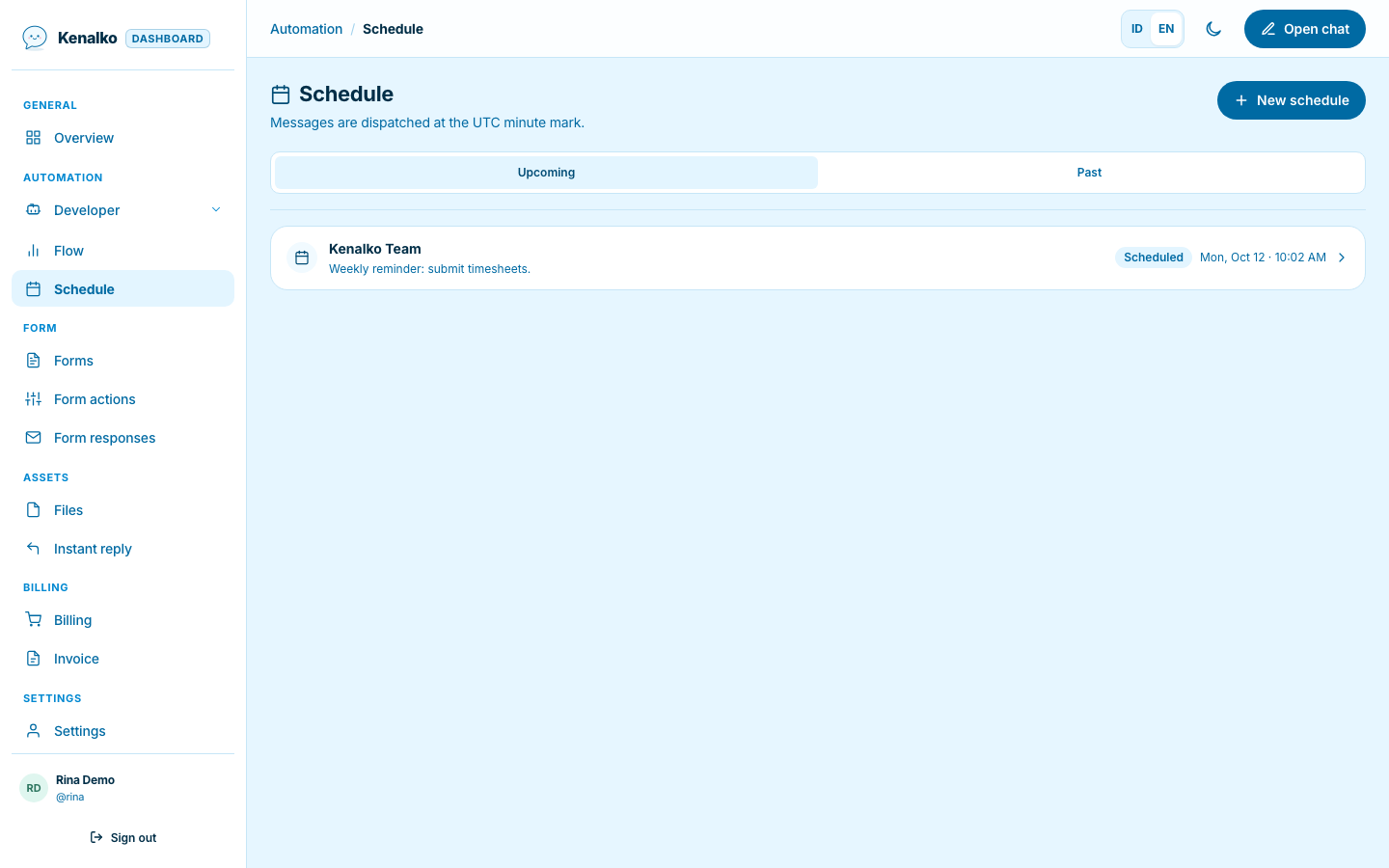
Schedule — Upcoming / Past, New schedule.
Schedule vs Flow vs chat
Schedule
- Send at a fixed UTC time you choose.
- You compose content + destinations in the dashboard before fire.
- Does not react to inbound user messages.
Flow / chat
- Flow = reactive automation (trigger → graph).
- Chat = send immediately from the chat app.
- Not a substitute for one-shot timed announcements.
Schedule-only walkthrough: sidebar → Upcoming → open New schedule (explained before closing) → row detail → Past tab. Slow narration synced to cursor clicks.
At a glance
- 1Create
New schedule → chats, content type, Send at. Details: Create a schedule.
- 2Content
Text, attachments (+ Files), or polls — Content types.
- 3Manage
Upcoming/Past, preview, Send now / Cancel — List & manage.
- 4Quota
API send + Files meter for attachments — Quota & attachments.
Dashboard only (registered sign-in, typically Google). Fire time = UTC minute (page subtitle). Scheduled sends do not trigger Flow “message received”.