Order checkout
Screen reference — /order/:id (dashboard).
2 min read
Checkout (/order/:id) — order summary, bank transfer (pending), PDF + navigation.
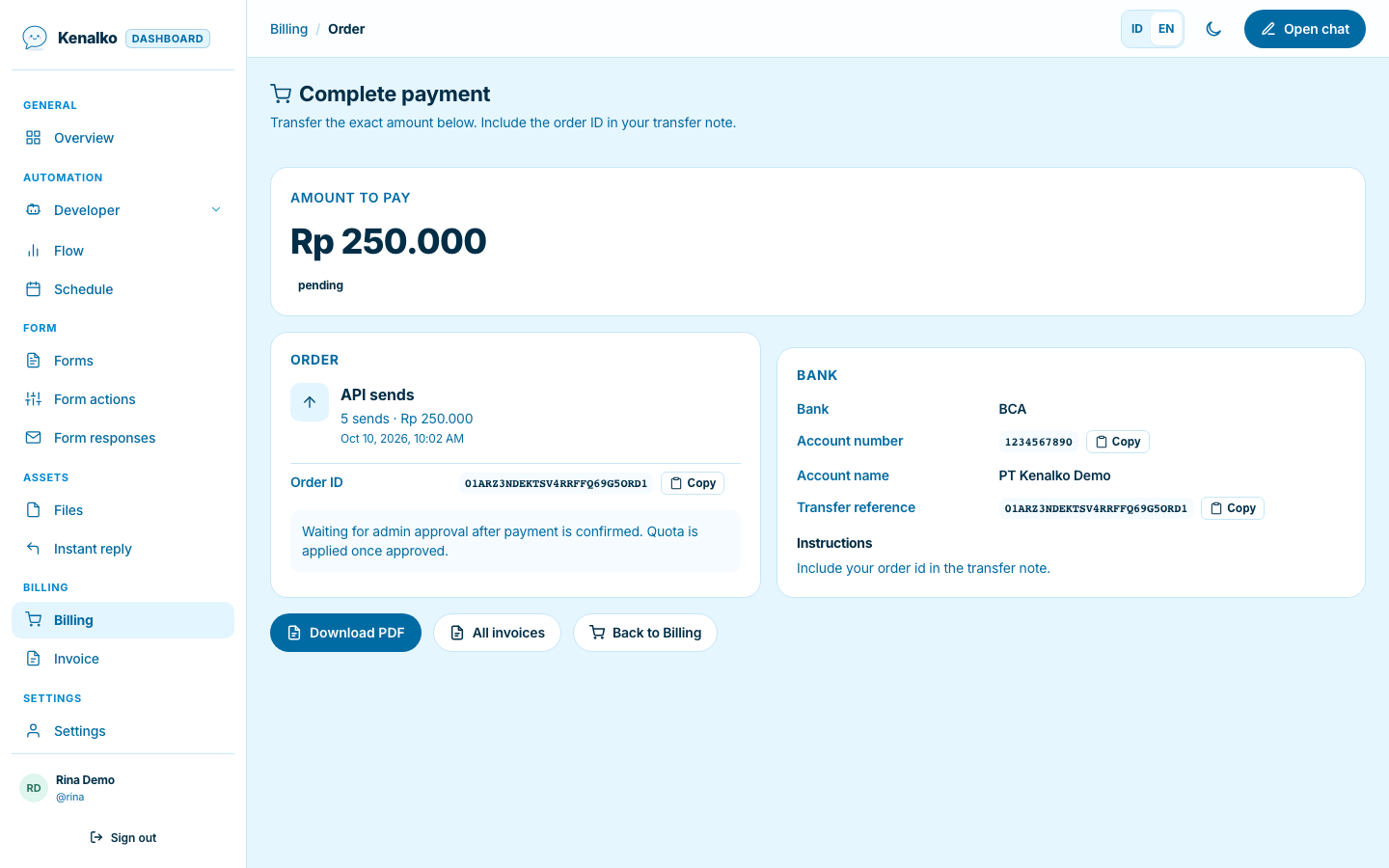
Route /order/:id — demo screenshot (product UI).
About this screen
This screen loads one billing order by id — usually after top-up from /billing/*.
Pending: amount hero + bank card + instructions; copy the order id into the transfer note.
After approved / rejected: view layout without bank details; status note + PDF remain.
Steps
- Copy amount and order id from the summary.
- Transfer to the shown account (pending only).
- Wait for verification — refresh or reopen from Invoice.
- Download PDF if you need a record.
Note:
- 404 / error → wrong order id or expired session; use the link from **Invoice**.
Screen areas
Header
- Title/subtitle: checkout vs view order
Amount hero
- IDR + status badge (
pending/approved/rejected)
Order summary
- Product + quantity line
- Order id + Copy
reviewed_atwhen processed- Status note
Transfer (pending)
- Bank, account number, holder
- Reference = order id (copy)
- Server-provided instruction text
Footer actions
- Download PDF
- All invoices
- Back to Billing
Index: Pages overview.