Invoice
Screen reference — /invoice (dashboard).
1 min read
Invoice (/invoice) — merged top-up orders + storage renewal invoices; PDF per row.
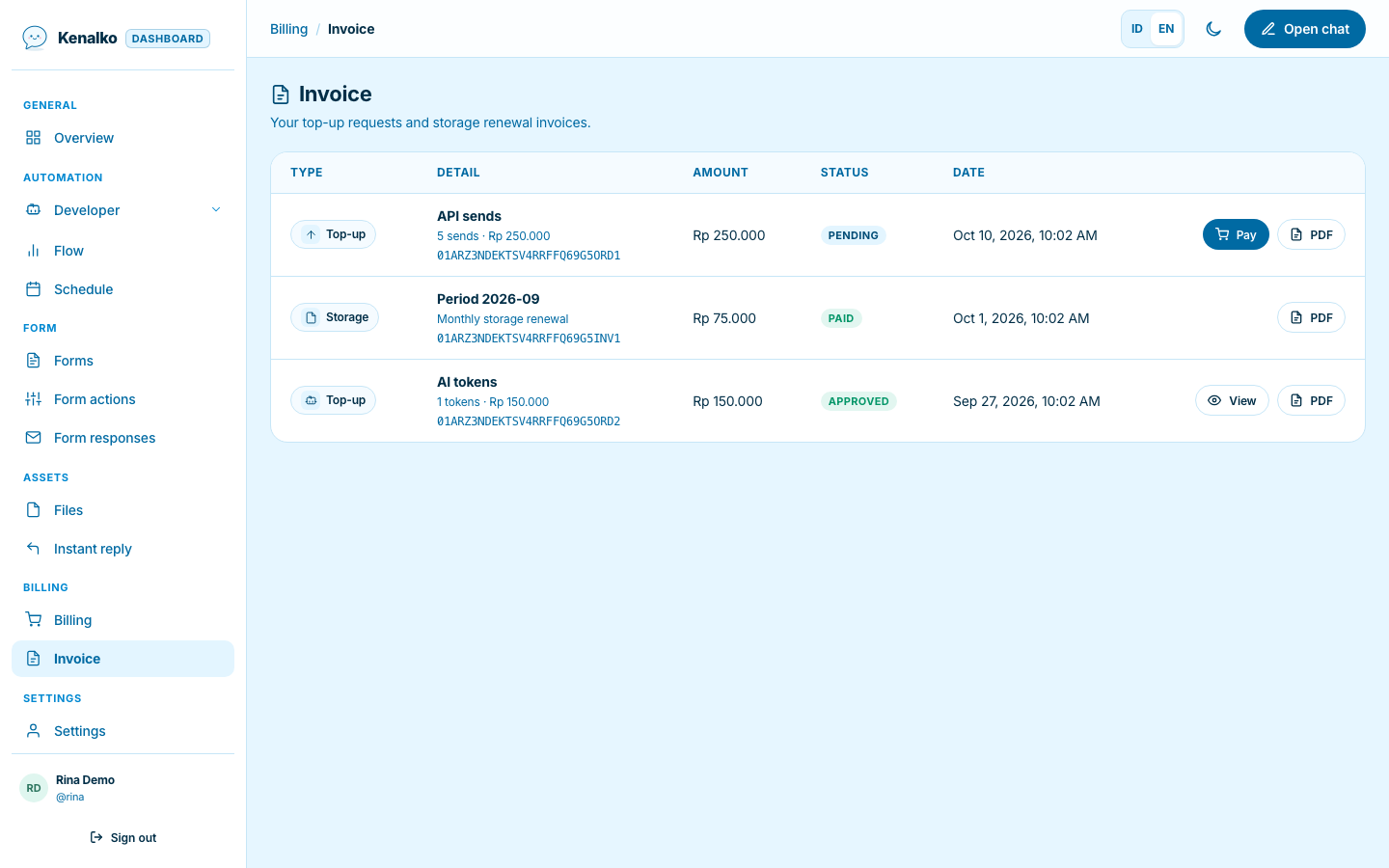
Route /invoice — demo screenshot (product UI).
About this screen
Invoice merges top-up orders (API, AI, storage subscribe) and monthly storage renewal rows in one table.
Pending orders need transfer — Pay opens checkout. approved / rejected → View order.
Storage renewal rows offer Download PDF only (no separate order checkout unless product policy says otherwise).
Steps
- Sidebar Invoice — scroll newest-first.
- Pending order → Pay → complete transfer on checkout.
- Optional: Download PDF for records.
Screen areas
Nav
- Sidebar Invoice
Header
- Payment history subtitle
Table
- Columns: type, detail, amount, status, date, actions
- Order rows: product pill (API/AI/Storage), order id
- Storage renewal rows: period + invoice id
Order actions
- pending → Pay (primary) →
/order/:id - Otherwise → View order
- Download PDF (order or storage)
Empty / error
- Empty state + reload on mount
Index: Pages overview.