Invoice
Referensi layar — /invoice (dashboard).
1 min read
Invoice (/invoice) — gabungan order top-up + invoice perpanjangan storage; PDF per baris.
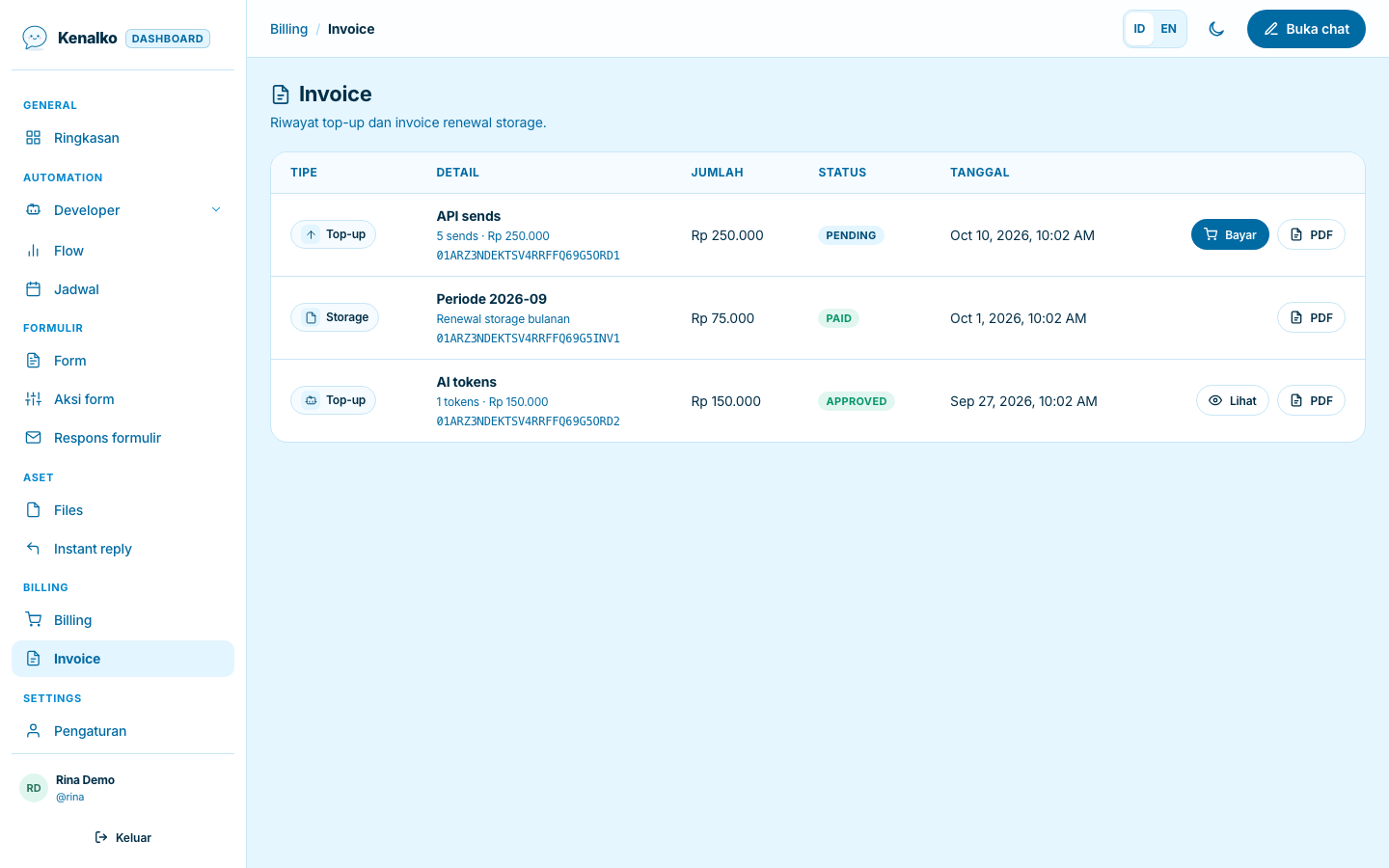
Route /invoice — screenshot demo (UI produk).
Penjelasan layar
Invoice menggabungkan order top-up (API, AI, storage subscribe) dan baris perpanjangan storage bulanan dalam satu tabel.
Order pending butuh transfer — Bayar membuka checkout. approved / rejected = Lihat order.
Baris storage renewal hanya Unduh PDF (tanpa checkout order terpisah kecuali policy produk mengarahkan ke bayar).
Langkah
- Sidebar Invoice — scroll tabel dari terbaru.
- Order pending → Bayar → selesaikan transfer di checkout.
- Opsional: Unduh PDF untuk arsip.
Bagian layar
Nav
- Sidebar Invoice
Header
- Subtitle riwayat pembayaran
Tabel
- Kolom: jenis, detail, nominal, status, tanggal, aksi
- Baris order: pill produk (API/AI/Storage), ID order
- Baris storage renewal: periode + ID invoice
Aksi order
- pending → Bayar (primary) →
/order/:id - Lainnya → Lihat order
- Unduh PDF (order atau storage)
Kosong / error
- Empty state + reload on mount
Indeks: Ringkasan Pages.