Sign in
Screen reference — /login (dashboard).
2 min read
Dashboard sign-in (/login) — same account as chat web/mobile; OAuth with Google, Apple, or Facebook.
1 2 3
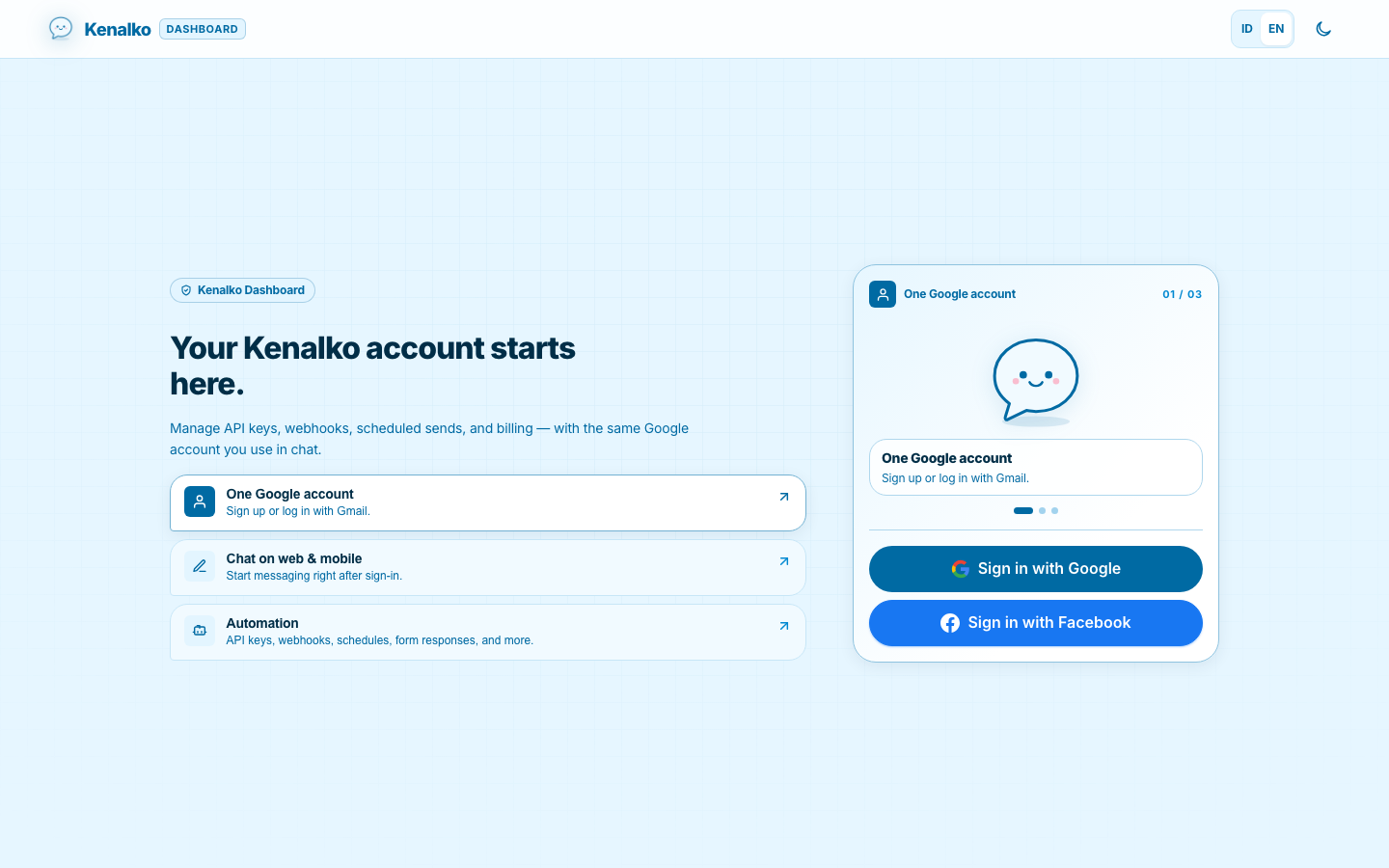
Route /login — demo screenshot (product UI).
About this screen
The /login page is the dashboard entry (dash.kenalko.com). There is no Kenalko email/password field — choose Google, Apple, or Facebook and the provider handles authentication.
Two-column layout: the left explains benefits (clickable topics); the right shows the mascot, slides 01–03, and OAuth buttons. Left topics and the right card stay in sync.
Dashboard and chat share one account. After OAuth you land on Overview (/). New users claim @username in chat web/mobile before the full chat experience. MFA (PIN) is optional under Security.
Steps
- Open dash.kenalko.com/login (or
/loginin dev). - Optional: change language or theme in the top-right header.
- Pick an OAuth provider on the right card and complete sign-in in the provider window.
- The dashboard opens Overview — sidebar modules (Developer, Forms, Billing, …) are available.
- If the account is new: open chat (Open chat on Overview or the mobile app) and claim @username. You can turn MFA on later under Security.
Note:
- Kenalko **never** asks for your Google password on the dashboard — OAuth only.
- **Try demo (offline)** appears only in development builds (`PUBLIC_DEMO_MODE`) — not in production.
Screen areas
1. Header
- Kenalko logo + Dashboard badge
- Language (ID/EN)
- Theme light/dark (sun/moon icon)
2. Left column (hero)
- Kenalko Dashboard badge
- Headline + short automation/billing description
- Three topic rows (click or ↑↓): One Google account · Chat on web & mobile · Automation
3. Right card (sign-in)
- Card header + 01 / 03 counter (synced with left topics)
- Mascot + active topic title/body
- Slide dots under mascot
- Google / Apple / Facebook — provider sign-in (no Kenalko password field)
- Development: Try demo (offline) + hint below OAuth
After sign-in
- Redirect to Overview (
/) - New account → @username in chat/dashboard; optional MFA (PIN) under Security
Index: Pages overview.