Guest
Use chat web as a guest, accept Anyone invitations, and understand guest limits.
A guest is a chat-web identity without a registered account. You can accept a personal Anyone invitation and chat with your connections, but features that require a registered account are unavailable.
Get started
- 1Browser
Open chat web — without signing in with Google, Apple, or Facebook.
- 2Anyone link
Open a personal invitation link set to Anyone (not a group or channel).
- 3Join
Fill in guest fields if the link asks for them, then tap Start chatting now.
- 4Contacts
The inviter appears under Contacts; open a personal chat from there.
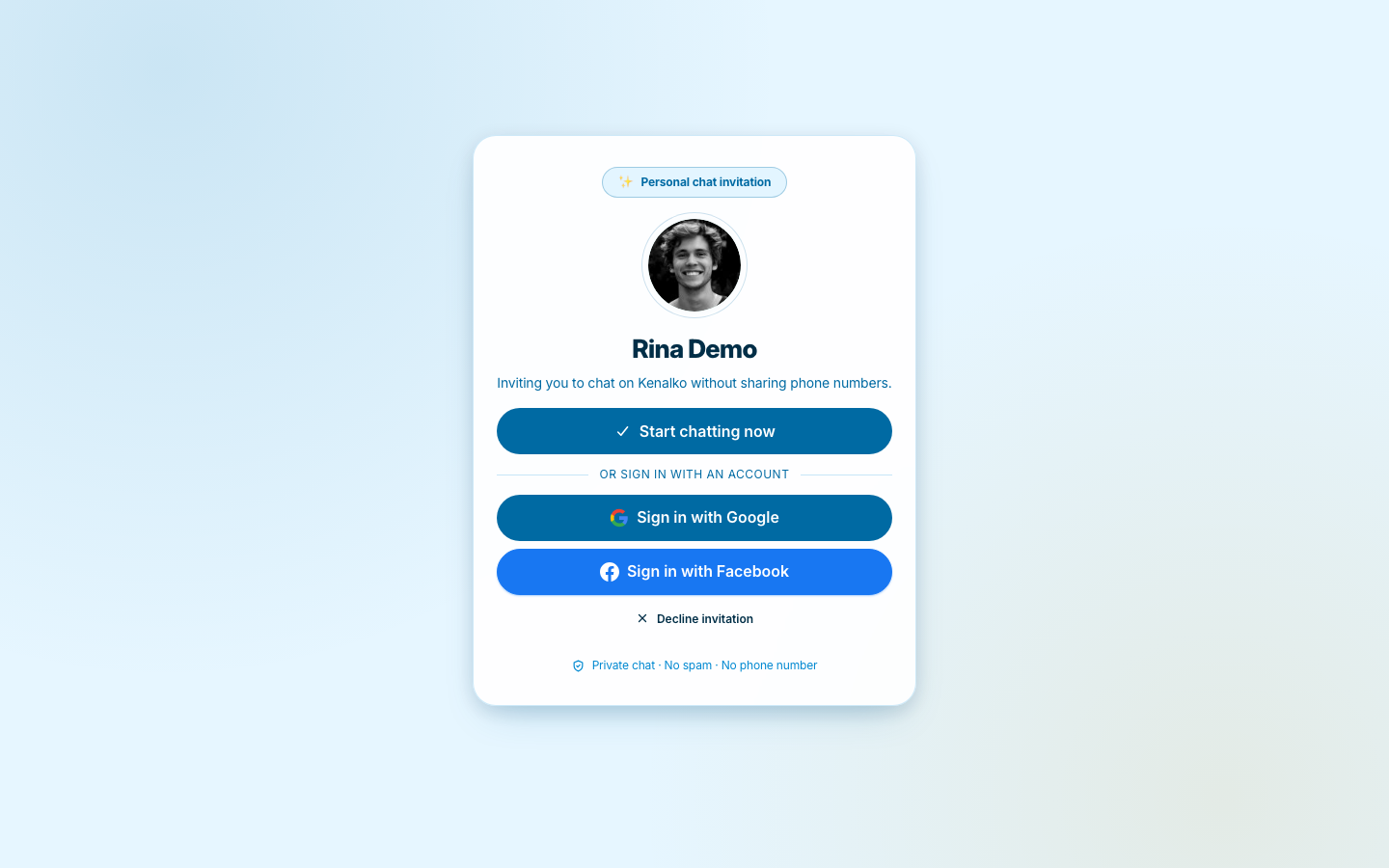
Personal Anyone invites can be accepted without a registered account. Groups, channels, and Email invites still require sign-in.
The guest identity stays the same while the browser’s site data is kept. A guest can also have other guest contacts when both people accept matching Anyone invitations.
Messages and attachments
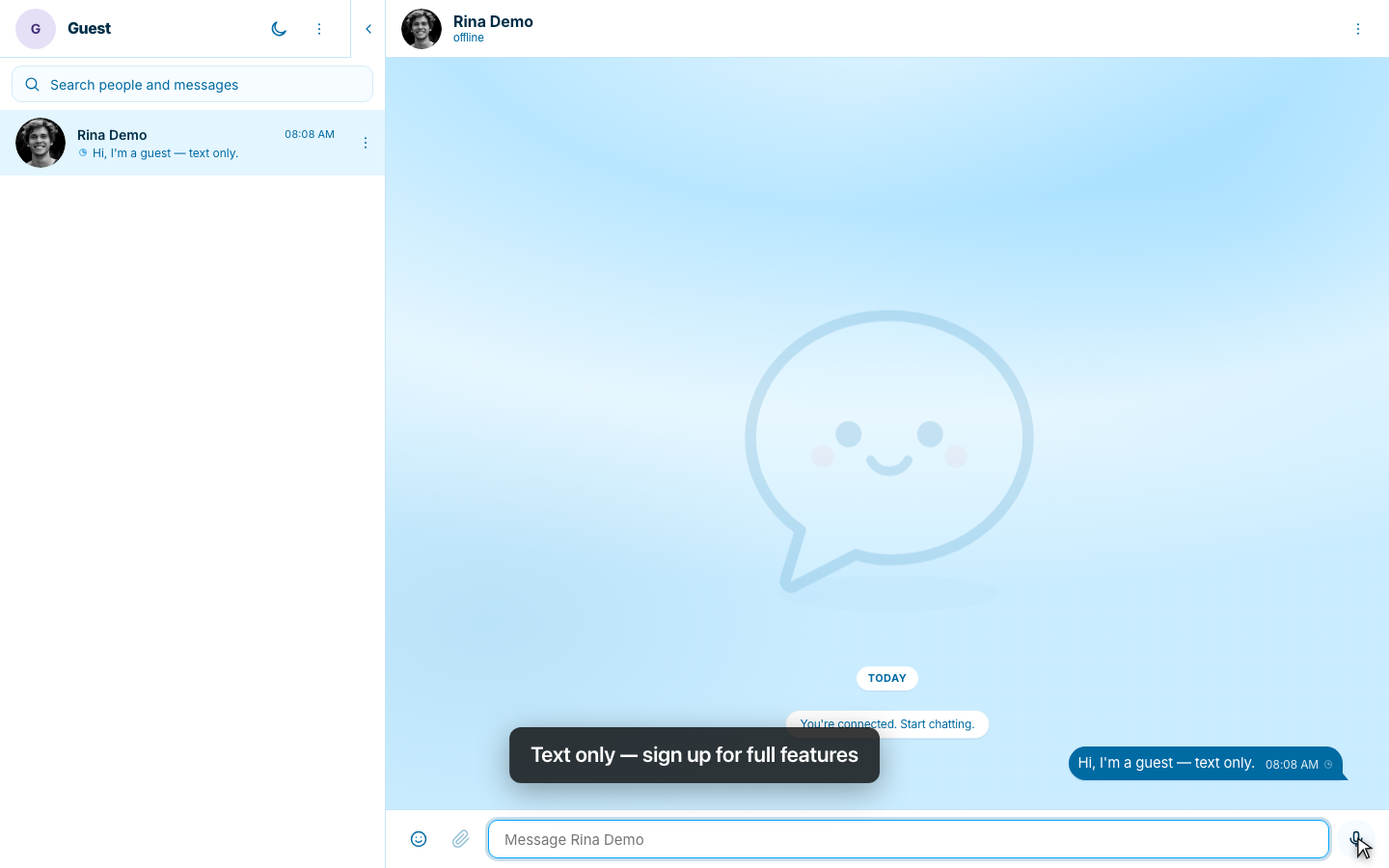
Guests can only send text. You can open photos, files, voice notes, and locations sent to you; vote in polls; reply, edit, and delete your own text. You cannot send attachments, polls, contacts, forwards, or pins — sign up for those.
Step-by-step video: voice-over + background music, on-screen hints, cursor on each tap. Flow: Anyone link → Start chatting now → Contacts → personal chat → send text.
Guest rules
- Guests are available on web only.
- Guests cannot create or join groups or channels.
- Guests cannot create Email invitations, schedules, or other registered-only features.
- Guests do not use a linked-device seat.
Identity limits
If you delete the guest identity using the available option, that guest connection is removed too. Your next visit creates a new guest identity.
To use Contacts and rooms with full capabilities, sign in with a registered account through the available Google, Apple, or Facebook provider.