Settings
Screen reference — /settings (web).
1 min read
Settings panel (/settings) — language, profile/security links, multi-account, clear local.
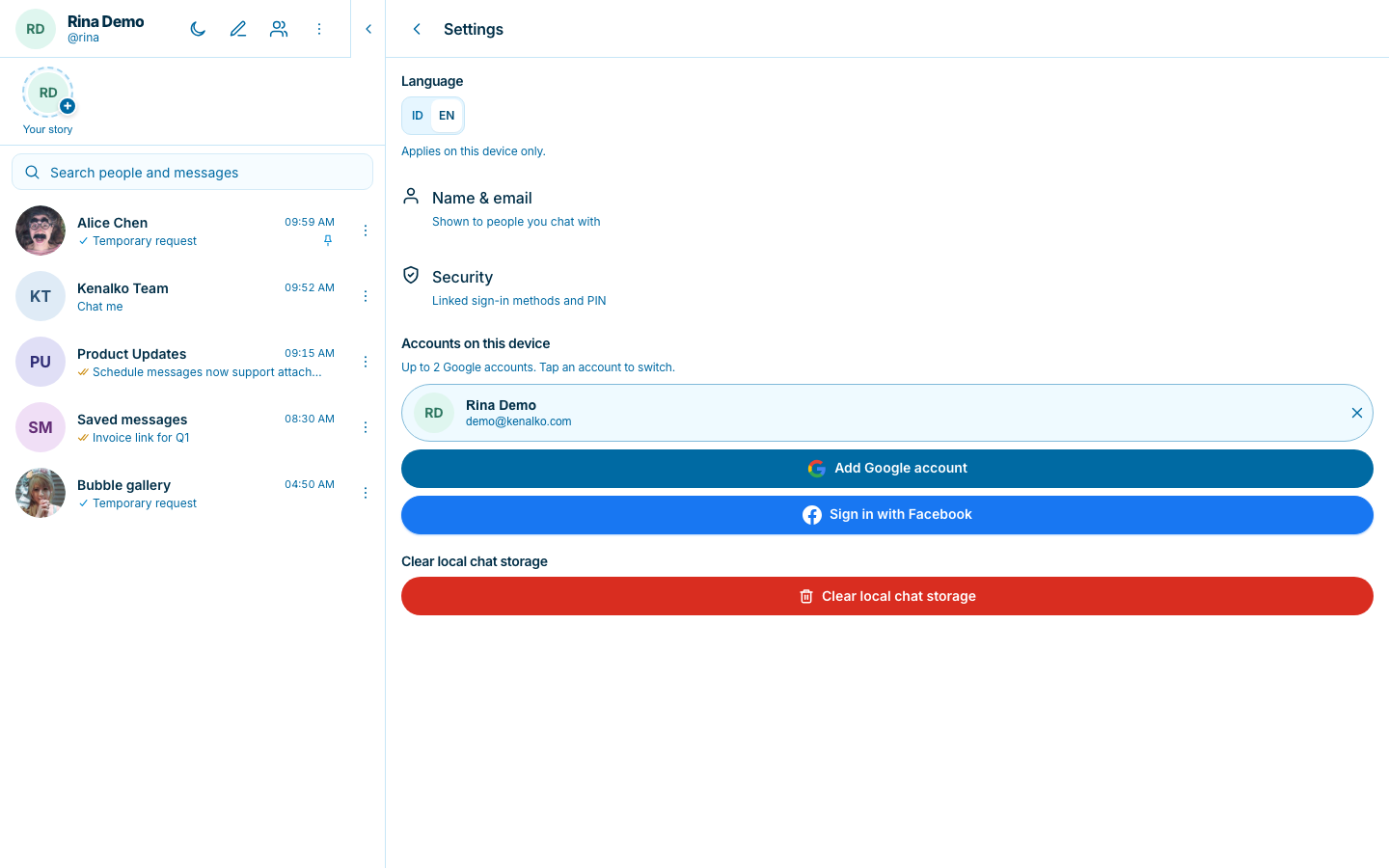
Route /settings — demo screenshot (product UI).
About this screen
/settings — UI language, links to Profile and Security, and browser multi-account.
Light/dark theme is toggled from the signed-out home; this panel focuses on language + accounts.
Clear local chat data wipes on-device message cache without deleting the server account.
Steps
- Avatar menu → Settings.
- Change language; open Profile/Security via link rows.
- Switch accounts or link extra Google when slots allow.
Note:
- Backup status on web is read-only — setup on the mobile app when backup UI is enabled.
Screen areas
Nav
- Avatar menu → Settings
Header
- Back → return to chat
Language
- Compact
LanguageSwitcher
Links
- Profile →
/profile - Security →
/settings/security(registered)
Accounts
savedAccountslist — switch / remove- Link extra Google when
canAddAccount
Other
- Backup status (read-only; mobile setup if UI enabled)
- Clear local chat data + confirm
Index: Pages overview.