Logs
Referensi layar — /developer/logs (dashboard).
2 min read
Logs (/developer/logs) — riwayat API, webhook, Flow, AI; filter chip; ringkasan detail; Resend webhook gagal.
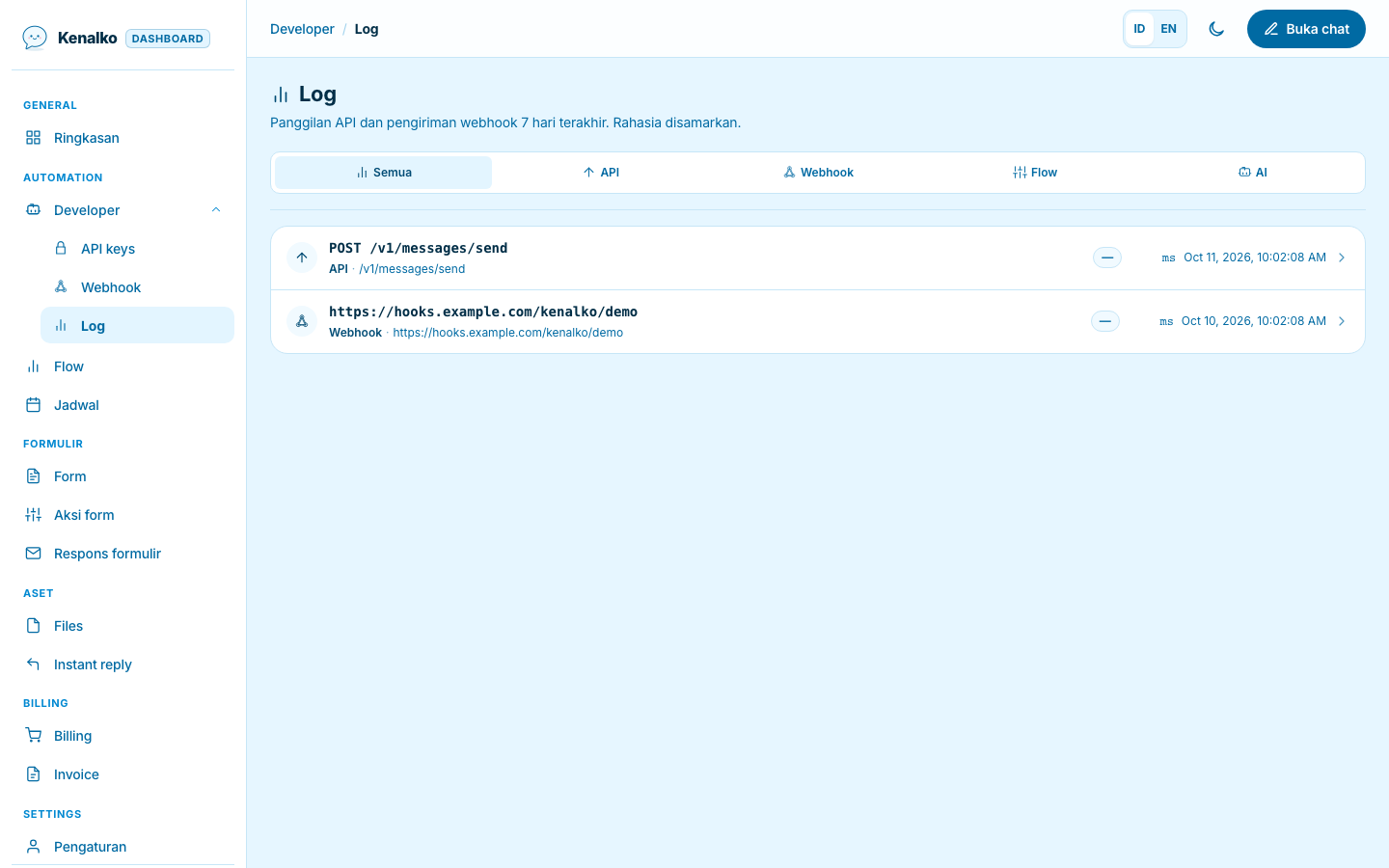
Route /developer/logs — screenshot demo (UI produk).
Penjelasan layar
Logs (/developer/logs) adalah audit trail operasional akun — bukan log server Kenalko untuk publik.
Satu baris bisa representasi API outbound, webhook delivery, run Flow, atau pemakaian token @ai (tab AI).
Graf di Overview memakai data yang sama (window 24 jam). Retensi log 24 jam — salin info dari overlay jika perlu arsip.
Langkah
- Buka Developer → Logs.
- Pilih chip API, Webhook, Flow, atau AI sesuai investigasi.
- Tap baris untuk ringkasan (status, endpoint, error; Flow = langkah + journey).
- Webhook gagal: gunakan Resend jika tombol tersedia.
- Scroll Muat lebih untuk halaman berikutnya.
Catatan:
- Log **Flow** menampilkan judul run (sering @username peserta) — detail langkah + journey bubble, tanpa JSON mentah.
Bagian layar
Nav
- Developer → Logs aktif
Header
- Subtitle berubah di tab AI
Chip filter
- All, API, Webhook, Flow, AI
Daftar baris
- Ikon arah + judul (path, token AI, judul run Flow)
- Subtitle status/latency atau URL
- Tap → overlay ringkasan (status, endpoint, error; Flow = langkah + journey)
Webhook gagal
- Aksi Resend bila masih relevan
Load more
- Pagination bawah daftar
Indeks: Ringkasan Pages.