Profil
Referensi layar — /profile (mobile).
1 min read
Profil (/profile) — edit nama + avatar; tamu bisa hapus profil tamu.
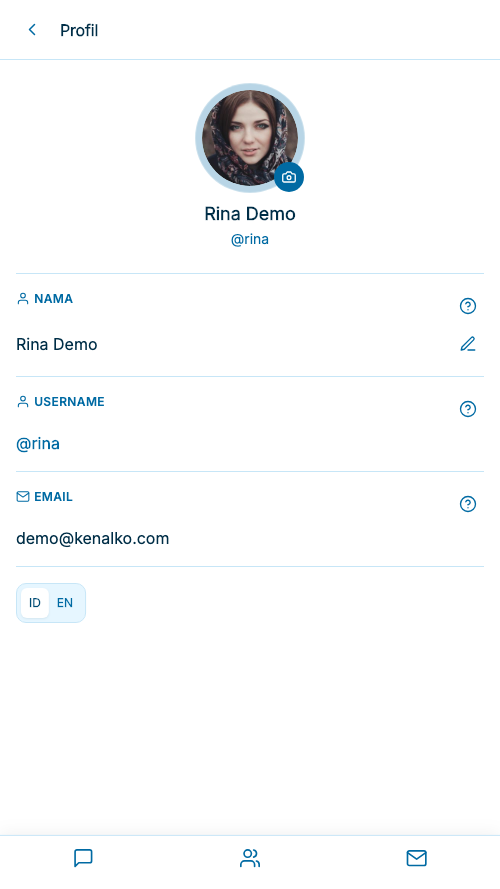
Route /profile — screenshot demo (UI produk).
Penjelasan layar
/profile — ProfileScreen: edit nama + upload avatar; tampilkan @username/email.
Tamu: opsi hapus profil tamu. Terdaftar: identitas utama untuk chat (dashboard mirror read-only).
Langkah
- Pengaturan atau menu → Profil.
- Tap avatar → crop → Simpan.
- Edit nama tampilan bila perlu.
Bagian layar
Nav
- Menu atau Pengaturan → Profil
Avatar
- Pick/crop/upload via
MediaRepository
Nama
- Inline edit + Simpan
Info
- @username, email (read)
Indeks: Ringkasan Pages.